Amazon US Market Analysis: Presentation Clickers Category
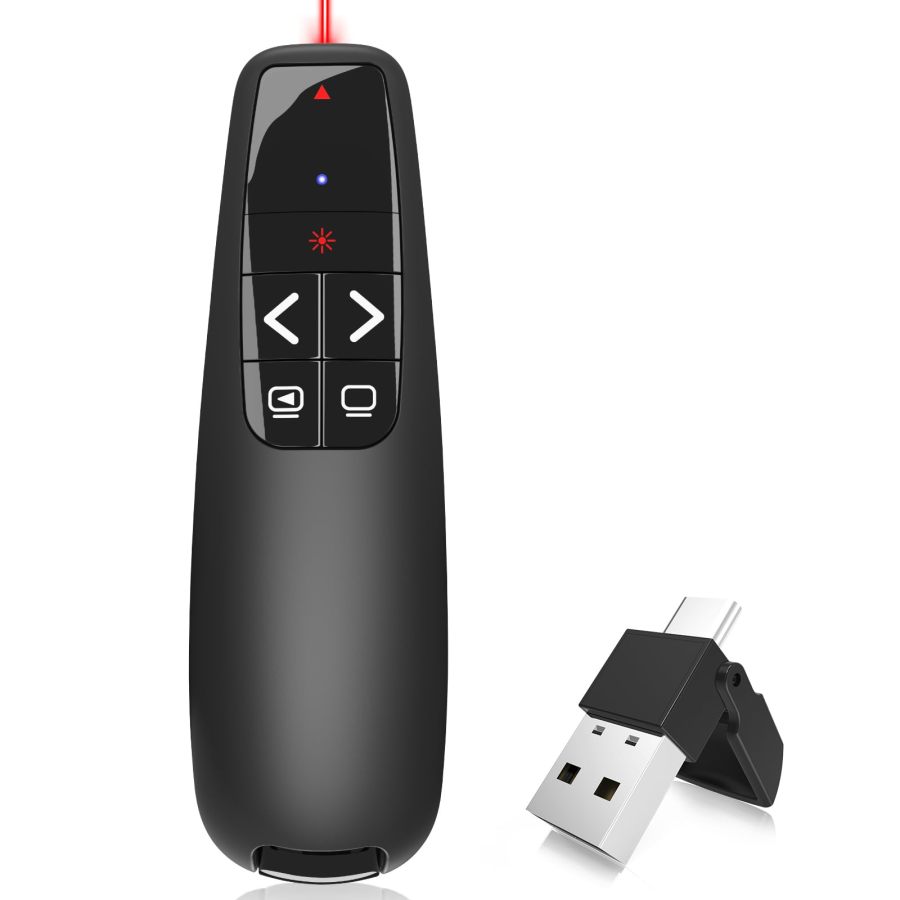
📊 Executive Summary
📈 Market Trends
Portability and compatibility become standard, user experience details determine success. The presentation clicker market has matured. Basic slide advancement, laser functions, and ergonomic design are highly prevalent. Current innovation trends focus on USB-C dual-interface compatibility, built-in rechargeable batteries, and innovative forms like ring-style, aiming to enhance user convenience and seamless experience across multiple devices and mobile scenarios. Laser type upgrades (green laser) and exploration of advanced interactive features (air mouse) are also becoming new growth points.
⚡ Major Pain Points
Laser visibility and connection reliability are critical weaknesses. The user's core pain points are that traditional red lasers are almost invisible on modern LED/LCD screens, severely impacting presentation effectiveness. Additionally, occasional connection drops, unresponsive buttons, and other stability issues frequently occur, directly disrupting presentation flow. The poor precision and complex operation of the air mouse function in some products render advanced features gimmicky, creating a perception gap in user experience.
💡 Selection Opportunities
Deep dive into real user pain points to create a reliable and intelligent experience. Product selection opportunities lie in solving the long-standing 'laser visibility on all screens' challenge through optimized green lasers or introducing digital cursor technology. Simultaneously, improve 'absolute reliability' of connection and the practical ease of use of 'air mouse,' upgrading it from 'present' to 'usable.' Furthermore, providing clear, diverse 'power supply options' and 'button customization' functions can better match segmented user needs, building differentiated advantages in a homogenized market.
I. Analysis Overview
1.1 Introduction & Report Scope
This report analyzes the 'Presentation Remotes' category (presentation clickers) in the Amazon US market, focusing on target user personas, core needs, decision factors, market communication, and potential opportunities.
1.2 Category Snapshot
A presentation clicker is a wireless electronic device primarily used for remotely controlling slide presentations (e.g., PowerPoint, Keynote, Google Slides), handling functions like slide advancement and full-screen/black-screen toggling. It often integrates a laser pointer to highlight content. The category features diverse product forms, including traditional handheld and innovative ring-style designs, aimed at providing presenters with greater mobility and interactive capabilities. Its core value lies in enhancing presentation efficiency and professionalism. The following table illustrates the key characteristics of consumer behavior in this category.
| Dimension | Segment | Description |
|---|---|---|
| Need Driver Type | Planned Purchase / Emergency-driven Purchase | User purchases typically stem from planned presentation or teaching needs, or from emergency replacement needs due to existing device failure or performance shortcomings. |
| Purchase Frequency | Low Frequency | As durable goods, purchase frequency is low, typically a one-time procurement, with repurchase only occurring if the product is lost, damaged, or if there is a significant technological upgrade. |
| Decision Complexity | Medium | Consumers compare functions (laser type, compatibility), connection method, ergonomics, battery solution, and price, but do not conduct in-depth research. |
| Price Sensitivity | Medium | Price is an important consideration, but users are also willing to pay a reasonable premium for reliability, stability, broad compatibility, and good ergonomics. |
| Emotional Dependency | Low | Primarily based on practicality and efficiency gains, emotional attachment is not high. However, the 'peace of mind' derived from product reliability is an important implicit value. |
II. User Personas & Usage Scenarios
2.1 Professional Trainer / Business Presenter
🎯 Frequently presents at large conferences, business reports, and seminars. Has high requirements for device stability, comprehensive functionality, and professional image.
| Typical Usage Scenarios | Core Pain Points | Primary Purchase Drivers |
|---|---|---|
|
|
|
2.2 Everyday Educator / Trainer
🎯 Frequently uses in school, training institution, or online education settings. Focuses on device ease of use, compatibility, cost-effectiveness, and freeing hands to interact with students.
| Typical Usage Scenarios | Core Pain Points | Primary Purchase Drivers |
|---|---|---|
|
|
|
III. User Needs Hierarchy (KANO Model)
3.1 Basic Needs (Must-Haves)
- Slide Advancement: Core function, must be able to stably and accurately advance and go back through presentation slides.
- Plug-and-Play: No need to install additional drivers or complex setup; start using quickly upon connecting to the computer, lowering the technical barrier.
- Laser Pointer: Provides a clearly visible laser dot for highlighting key content on the screen and guiding audience attention.
- Broad Compatibility: Compatible with mainstream operating systems (e.g., Windows, Mac OS, Linux) and presentation software (e.g., PowerPoint, Keynote, Google Slides).
3.2 Performance Needs (Linear Satisfiers)
- Wireless Control Range: Provides adequate remote control distance (e.g., 30-100 feet), allowing the presenter to move freely within a larger space, untethered from the computer.
- Battery Life & Low-Battery Alert: Long-lasting battery with a low-battery warning function to avoid sudden power loss during a presentation.
- Ergonomics & Feel: Comfortable grip, reasonable and intuitive button layout supporting blind operation, enhancing convenience during prolonged use.
- Receiver Storage: USB receiver can be safely stored inside the remote (e.g., magnetic), preventing loss and facilitating portability.
- Full-Screen / Black-Screen Toggle: One-touch toggle between full-screen display and black-screen pause for interaction or transitions, enhancing presentation flexibility.
3.3 Excitement Needs (Delighters)
- Air Mouse Function: Controls the mouse cursor in the air via the remote, enabling more flexible screen interaction like clicking links, dragging, etc., enhancing the interactive feel.
- Green Laser: Provides a laser dot that is brighter and more clearly visible on LED/LCD screens compared to traditional red lasers, adapting to modern display devices.
- USB-A/Type-C Dual-Interface Receiver: Integrated receiver compatible with both old and new computer interfaces, improving connection convenience and device adaptability, eliminating the need to carry multiple receivers.
- Ring-Style Design: Worn on the finger, completely freeing both hands, enhancing natural expression and body language while being anti-loss and easy to carry.
- Customizable Button Functions: Allows users to customize button functions based on personal habits or specific presentation software, enabling personalized operation and efficiency gains.
3.4 Unmet Needs & Opportunities
-
Laser Visibility on All Screens: Users expect the laser pointer to be clearly visible on any display screen (including modern LED, LCD TVs). Currently, red lasers still have limitations, and green lasers are not perfect either.
User Reviews (VOC) Red laser is almost invisible on my conference room's large screen, I can only rely on audio cues. // I wish there was a laser that could be clearly seen on TV screens too, otherwise the laser pointer is often useless.
-
More Stable Connection Performance: Some users report issues like disconnection, lag, or unresponsive buttons at critical moments, severely impacting presentation smoothness and confidence.
User Reviews (VOC) It stops responding while using it, and I have to replug the receiver, so embarrassing. // Sometimes I have to press several times to advance one slide, not sure if it's a distance issue or connection instability.
-
Air Mouse Precision and Ease of Use: The air mouse function of some products lacks precision, is complex to operate, or suffers from cursor drift, leading to poor user experience and making the feature gimmicky.
User Reviews (VOC) The air mouse is too hard to control, the cursor flies around, it's better to just go back to the computer. // Good idea, but it's too tiring to use in practice, you have to keep shaking your wrist to point where you want to click.
-
Long-Lasting Battery & Accurate Power Indication: Users desire truly reliable battery life and the ability to accurately estimate remaining power to avoid the embarrassment of sudden power loss during a presentation.
User Reviews (VOC) The battery drains too fast, it can't reach the advertised time in high-brightness mode. // It's best to show the specific battery percentage, otherwise the low-battery warning is on but you still have no idea.
IV. User Decision Drivers
4.1 Key Decision Factors
- Functional Reliability: Ensuring core functions like slide advancement and laser pointing are stable and effective at critical moments, with no disconnections or delays, is fundamental to guaranteeing presentation success.
- Plug-and-Play & Broad Compatibility: Users expect the device to connect quickly and be compatible with various mainstream systems and presentation software to avoid technical issues affecting the presentation and save valuable time.
- Ergonomics & Feel: The comfort of the grip and whether the button layout is intuitive and reasonable directly impact the experience during prolonged use and the efficiency of blind operation, enhancing professionalism.
4.2 Secondary Decision Factors
- Laser Brightness & Type: The visibility of the laser, especially its performance on different display screens (e.g., LED/LCD), and the advantages of green lasers over red lasers, affect pointing effectiveness.
- Battery Life & Charging Method: Battery lifespan, whether it is rechargeable, the type of charging interface (e.g., USB-C), and charging speed affect usage convenience and long-term costs.
- Portability & Anti-Loss Design: Product size, weight, and whether the USB receiver is easy to store and not easily lost, facilitating daily carrying and use, reducing potential loss.
- Multifunctionality: Whether it integrates additional functions like full-screen/black-screen, volume control, window switching, air mouse, etc., to enhance presentation flexibility and interactivity.
- Price & Value for Money: Given the above needs are met, whether the product pricing is reasonable and can provide superior overall usage experience influences the final purchase decision.
V. Selling Points & Competitive Landscape
5.1 Selling Point Analysis
5.1.1 Standard Features (Points of Parity)
- Plug-and-Play: Emphasizes no driver installation needed, ready to use quickly upon connecting to a computer, lowering the barrier and adapting to various usage scenarios.
- Wireless Control Range: Commonly advertised as 50-100 feet (approx. 15-30 meters) control distance, providing mobility freedom for the presenter to interact with the audience.
- Laser Pointer: Built-in red laser pointer for highlighting key screen content, a standard feature for convenient attention guidance.
- Broad Compatibility: Supports mainstream systems like Windows, Mac, Linux, and presentation software like PowerPoint, Keynote, Google Slides.
- Slide Advancement: Core function, provides forward/backward buttons to ensure smooth presentation flow.
- Ergonomic Design: Most products emphasize comfortable grip and reasonable button layout to enhance the experience during prolonged use.
5.1.2 Key Differentiators
- USB-A/Type-C Dual-Interface Receiver: Provides a single receiver with both USB-A and USB-C interfaces, adapting to old and new computer ports, improving connection convenience.
- Rechargeable Design: Built-in lithium battery, charged via USB-C or similar, eliminating disposable batteries, more eco-friendly and convenient.
- Green Laser: Claims to be brighter than red lasers, with higher visibility across different backgrounds and screens, attracting high-end users.
- Air Mouse / On-Screen Annotation: Integrates mouse cursor control or direct on-screen annotation functions, providing richer interaction methods.
- Ring-Style Design: Unique wearing method, emphasizes hands-free operation, anti-loss, and operational convenience.
5.1.3 Unique Selling Propositions (USPs)
- High-Precision Air Mouse: A few products attempt to provide a more precise, smoother air mouse control experience through optimized algorithms and sensors, reducing drift and misoperation.
- Deeply Customizable Button Functions: Very few products offer software-level button function customization to adapt to user habits or specific software shortcut needs.
5.2 Competitive Landscape
5.2.1 Market Maturity
The presentation clicker market has entered a mature stage. Basic slide advancement and red laser functions are highly homogenized, becoming industry standards. Brands primarily seek differentiation by improving receiver compatibility (USB-C), power supply convenience (rechargeable), laser type (green), and integrating advanced features (e.g., air mouse, on-screen annotation). This indicates the market is evolving from functional completeness towards user experience and convenience upgrades.
5.2.2 Innovation Trends
Current category innovation trends are evident. Mainly reflected in: wireless receivers evolving from single USB-A to USB-A/Type-C dual-interface fusion to adapt to a wider range of devices; power solutions shifting from disposable batteries to built-in rechargeable lithium batteries, introducing fast-charging capabilities; continued exploration of advanced interactive features like air mouse and on-screen annotation, aiming to provide a more immersive presentation experience. Additionally, innovative form designs like ring-style aim to address the pain points of traditional remotes being inconvenient to hold and easy to lose, emphasizing portability and hands-free operation.
VI. Marketing Claims vs. Reality Check
The table below analyzes the gap between common marketing claims and actual user experiences in this category:
| Dimension | Marketing Claim | User Reality | Verdict |
|---|---|---|---|
| Battery Type & Charging Method | Rechargeable long battery life, USB-C fast charging, built-in high-capacity battery. | Some product descriptions claim 'rechargeable,' but specifications or Bullet Points explicitly mention 'requires 2 AAA batteries (included or not included),' leading to information confusion and even discrepancies between claimed battery capacity and actual runtime. | Seller information on the core power supply solution is self-contradictory, severely misleading consumer expectations and increasing post-purchase confusion and dissatisfaction. This is not just exaggeration, but logical confusion. |
| Laser Pointer Screen Compatibility | High-brightness laser, clearly visible, effectively highlights key points. | Most red laser products explicitly warn in Bullet Points 'not recommended for LED, LCD, or TV screens,' yet still broadly advertise high brightness and visibility. Users find laser effectiveness poor or even invisible on modern display devices. | Sellers fail to adequately disclose the physical limitations of laser pointers when marketing them, leading users to have false expectations about the product's actual functionality in modern presentation environments. This is limited by the wavelength characteristics of red lasers, not a product quality issue, but communication is insufficient. |
| Air Mouse Precision | Air mouse function, controls like a real mouse, frees hands for more efficient interaction. | User feedback indicates air mouse is overly sensitive, cursor drift is severe, precise control is difficult, operation is not smooth, and it's even less convenient than returning to the computer. | The design concept of the advanced feature is detached from actual user experience. The technical implementation fails to provide sufficient precision and ease of use, rendering the feature gimmicky and adding to the user's operational burden. |
| Brand Claims vs. Actual Technology | Products like Targus claim 'Bluetooth wireless presenter' or 'Bluetooth presentation laser pointer' in titles. | But descriptions clearly state the use of 2.4GHz RF wireless technology with a USB receiver, not Bluetooth direct connection. This is a clear misrepresentation. | Exploits consumer cognitive bias towards Bluetooth connectivity for misleading promotion. While technically still wireless, it is fundamentally different from the convenience of Bluetooth (no receiver needed), damaging brand integrity. |
Key Takeaway: The market suffers from widespread parameter inflation and contradictory information, especially regarding battery type, laser applicability, and the actual performance of some advanced features (e.g., air mouse), failing to deliver on marketing promises.
VII. Supply-Demand Misalignment Analysis
The table below highlights mismatches between seller focus and buyer priorities:
| Dimension | Seller Behavior | User Focus | Verdict |
|---|---|---|---|
| Laser Pointer Visibility on Modern Screens | Sellers generally emphasize 'high-brightness red laser' and long range, but simultaneously warn in Bullet Points 'not recommended for LED/LCD screens,' creating contradictory messaging. | Users explicitly state in reviews that red lasers are invisible on TVs or LED screens, feeling very inconvenienced and disappointed, perceiving the laser function as missing. | Sellers do not directly address the physical limitations of red lasers, leading to a sense of functional deficiency for users in the most common modern presentation scenarios. This is a significant functional gap. |
| Connection Stability & Reliability | Sellers generally promote 'plug-and-play,' '2.4GHz stable connection,' and 'long-distance control,' but rarely mention stability guarantees under challenging conditions. | User feedback frequently mentions occasional disconnections, lag, unresponsive buttons, especially at critical moments, severely impacting presentation flow and professionalism. | Sellers overly optimisticize connection performance, overlooking the user's ultimate need for 'never dropping connection.' There is a significant gap in the core 'reliability' of products, directly affecting user experience. |
| Air Mouse Function Practicality | Some sellers highlight 'air mouse' as an important differentiating feature, promoting the efficient interaction and free control it brings. | User feedback indicates air mouse function has poor precision, cursor drift, and a steep learning curve, with actual usage experience far below expectations, ultimately becoming a gimmicky feature. | Sellers are ahead in feature stacking but lagging in user experience refinement. This 'better to have than not' mindset leads to increased BOM costs but results in negative user experience, a typical case of ineffective competition and over-supply. |
Key Takeaway: Sellers generally invest in promoting basic functions and hardware compatibility but fail to effectively address users' deep-seated pain points regarding core experience (e.g., laser visibility across all screens, connection stability). Furthermore, there is 'self-indulgent' over-supply regarding some advanced features.
VIII. Strategic Opportunities & Recommendations
8.1 All-Screen Compatible Digital/Green Laser Presenter
8.1.1 Target Audience & Pain Points
⚡️ Pain Points Addressed: Insufficient laser visibility on all screens; limitations of traditional red lasers on modern display screens.
8.1.2 Action Plan
Adopt optimized high-brightness green laser modules to ensure clear visibility on projectors, LED, and LCD screens; or develop software-based digital cursor functionality (e.g., controllable cursor displayed on screen after connecting to the computer), offering various cursor shapes and color options.
| Tech Complexity | Medium |
| Cost Impact | Medium Impact |
| Trade-off Warning | High-performance green laser modules cost more; digital cursor requires more complex software integration, may slightly increase product power consumption, but has no significant physical side effects. |
| Price Band | Only viable above $29.99 |
8.1.3 Marketing Strategy
Emphasize 'Fearless of any screen, focus is precisely visible'; showcase clarity advantages on different display media through comparison videos; highlight 'Suitable for all modern meeting rooms and classrooms, enhancing professionalism.'
8.2 Ultra-Stable Connection & Core Function Customizable Presenter
8.2.1 Target Audience & Pain Points
⚡️ Pain Points Addressed: Insufficient connection stability; non-intuitive button operation logic; lack of advanced function customization.
8.2.2 Action Plan
Adopt more anti-interference 2.4GHz RF modules, optimize communication protocols to ensure connection stability over long distances and in complex environments; develop a simple companion PC/Mac software allowing users to customize core button functions (e.g., slide direction, specific shortcuts).
| Tech Complexity | Medium |
| Cost Impact | Medium Impact |
| Trade-off Warning | More stable RF modules and more complex MCUs may slightly increase hardware costs, software development investment is significant, but impact on size and weight is minimal. |
| Price Band | Only viable above $24.99 |
8.2.3 Marketing Strategy
Highlight 'Zero interruptions, every presentation with confidence'; emphasize 'Buttons customized to your will, adapt to your unique habits'; showcase stable connection scenarios in complex environments and provide tutorials on user-defined functions.
8.3 High-Precision, Easy-to-Use Air Mouse Presenter
8.3.1 Target Audience & Pain Points
⚡️ Pain Points Addressed: Air mouse lacks precision, complex to operate, poor user experience.
8.3.2 Action Plan
Adopt higher sampling rate, low-drift six-axis sensors; invest heavily in R&D to optimize air mouse algorithms for stable gestures, precise cursor control, and a low learning curve; design intuitive calibration and sensitivity adjustment functions.
| Tech Complexity | High |
| Cost Impact | High Impact |
| Trade-off Warning | High-precision gyroscope/accelerometer modules, more powerful MCUs, and complex algorithms will significantly increase BOM costs, impose higher demands on battery life, and may slightly increase size. |
| Price Band | Only viable above $39.99 |
8.3.3 Marketing Strategy
Emphasize 'Precise control in your palm, as if at the screen'; showcase its superior precision and smoothness compared to competitors through comparison videos; highlight 'No more fumbling, easily click any link or video.'
8.4 Long-Lasting Dual-Mode Power Supply Clicker
8.4.1 Target Audience & Pain Points
⚡️ Pain Points Addressed: Contradiction between advertised and actual battery life, inconvenience of traditional battery replacement, lack of clear power indication.
8.4.2 Action Plan
Offer two models: built-in USB-C rechargeable (at least 300mAh battery, achieving 2+ hours true runtime in high-brightness mode, 30-day standby, with precise battery percentage display); or optimized AAA battery compartment design (easy to replace, low power consumption, clear usage duration). Clearly label runtime for different modes in the listing.
| Tech Complexity | Low |
| Cost Impact | Medium Impact |
| Trade-off Warning | Integrating larger capacity lithium batteries or designing a better battery compartment structure may slightly increase cost and weight, but has no negative impact. |
| Price Band | Only viable above $19.99 |
8.4.3 Marketing Strategy
Highlight 'Say goodbye to battery anxiety, two power modes to choose from'; emphasize 'True runtime, no exaggeration, power level at a glance'; for the rechargeable model, promote its eco-friendliness and long-term cost-effectiveness; for the AAA model, promote its emergency convenience.