SmartSee Anycast HD Wireless Display Adapter WiFi 1080P Mobile Screen Mirroring Receiver Dongle for iPhone Mac iOS Android to TV Projector Support Miracast Airplay DLNA
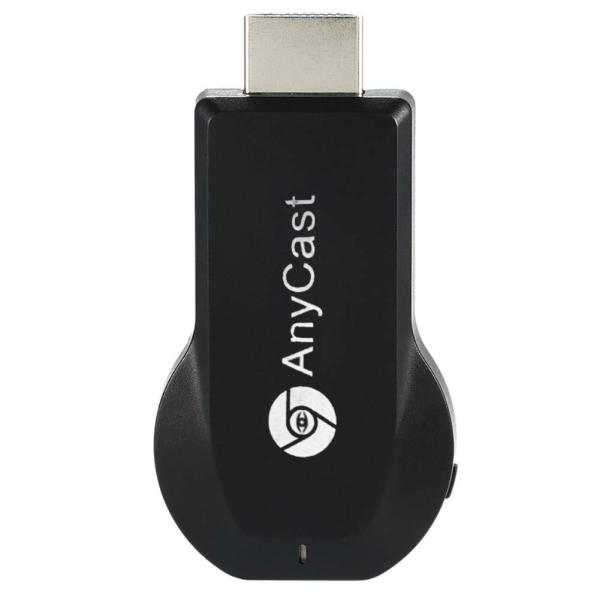
Brand: SmartSee
ASIN: B07QDLNGFZ ✓ Copied!
PASIN: B07QDLNGFZ
Price: $19.98
About this item
- Wireless display: SmartSee Wireless display adapter can mirror the screen of phone, tablet, laptop, pc to your TV/projector/monitor wirelessly. Share photos, movies(unencrypted only), files to a big screen easily. What shows on your phone, tablet, laptop, pc can show up on another big display. Cast a small screen to a large one. Make your TV a smart TV.
- Easy to use: No App or drivers required. 3 steps to enjoy media on large screen: Plug->Connect->Mirroring: Plug the dongle into the HD port of your TV, projector, or monitor>Power it using the included USB WiFi antenna>Select your TV to the correct HD channel. The Anycast UI will show up, recognize your IP address and match your local language automatically. > Connect your device with the Anycast dongle. Connection steps differ by systems, follow the User Manual based on your device type.
- Compatibility(Multi-Platform Support) and Limitation: Support Macbook series, iOS 9.0+, Android 5.0+, Windows 10 devices through Airplay, Miracast, DLNA protocol. Notes: 1. NOT supports for Google Pixel, not for Motorola. 2. Android and Windows devices must support Miracast for screen mirroring to work. 3. Not compatible with the encrypted apps, such as Netflix/ Amazon Video/ HBO go/ Hulu Plus sky go/DIRECTV etc.
- Wide Usage Scenarios (Professional & Everyday Use): Business & Office-Mirroring screen to projector, share PPT, mail, documents and other content wirelessly. Education & Training-Mirroring screen to big screen, share teaching content, classroom teaching, live demos, and workshops wirelessly. Home Entertainment- Watch with your family at home. Mirroring screen to TV, share photos, movies(unencrypted only) wirelessly. Travel & Mobile Work- Carry it while travelling, share your phone to TV anytime. Retail & Exhibitions-Product demos, promotional files, and catalogs. etc.
- Usage Notes & Practical Tips: Anycast dongle is built-in 2 Modes-AirPlay Mode: For all iOS devices; Miracast Mode: For Android and Windows devices. A built-in mode switch button allows switching between AirPlay Mode (iOS) and Miracast Mode (Android & Windows) to match your device system. Press and hold the button for 3-5 seconds to restart the dongle(resolves most connection issues). Note: Always ensure the display is set to the correct HD input. Detailed connection please check the detailed description below or the User Manual according to your device system.
- Regular OTA Update: This adapter supports automatic OTA (Over-The-Air) firmware updates directly from the cloud. Once connected to WiFi, the dongle upgrades itself to ensure ongoing compatibility with the latest iOS, Android, and Windows versions.
Core Selling Points Analysis
🎯 Wirelessly mirror the screen content of phones, tablets, and laptops to TVs, projectors, or monitors.
🎯 No app or driver download required; casting can be completed with three simple steps.
🎯 Supports multi-platform devices (iOS, Android, Windows, macOS) and is compatible with Airplay, Miracast, DLNA protocols.
Pros & Cons Analysis
Product Pros
-
Cross-Platform Compatibility
Unlike casting devices limited to a single ecosystem, this product is compatible with mainstream operating systems like iOS, Android, Windows, and macOS. Supporting protocols such as Airplay, Miracast, and DLNA, it offers broader device adaptability, lowering the barrier to entry for users in multi-device environments. -
Relative Price Advantage
Among similar wireless casting products, this device is priced relatively lower, offering cost appeal for budget-conscious users or those who only need occasional simple screen mirroring, making it a potential choice for entry-level or backup solutions. -
Compact and Portable Design
The product's small size makes it easy to carry, enabling users to cast content from phones or laptops to larger screens like hotel TVs or conference room projectors in various scenarios such as business trips, training sessions, or social gatherings, enhancing flexibility for mobile use. -
OTA Firmware Updates
Support for Over-The-Air (OTA) firmware updates theoretically allows for continuous performance optimization, bug fixes, and maintenance of compatibility with the latest OS versions, extending the product's lifespan and value while reducing the risk of obsolescence due to system updates.
Product Cons
-
Poor Core Function Stability
Under daily use scenarios: The product connection is highly unstable, frequently suffering from disconnections, stuttering, and audio-video sync issues, preventing users from smoothly watching videos, presenting, or gaming, severely compromising the basic functionality of a casting device. -
Actual Image Quality Does Not Match Claims
In video playback and image display scenarios: Despite claims of 1080P support, users experience noticeably blurry image quality, significantly falling short of HD expectations and degrading the viewing experience, making it unsuitable for users with quality requirements. -
Overheating Risk During Prolonged Use
In scenarios of continuous operation for about 15 minutes: The device body becomes excessively hot to the touch, potentially affecting internal component lifespan and stability while posing a safety concern, forcing users to frequently pause usage for cooling. -
Lacking and Complex Setup Guidance
In initial setup and troubleshooting scenarios: The product's QR code links to an invalid website, and YouTube tutorial videos are too fast-paced and in a foreign language, leaving users without clear, effective guidance for connecting, switching modes, or solving problems, consuming significant time and effort, sometimes resulting in failed connections. -
Restricted Casting of Encrypted Content
In scenarios of watching mainstream streaming services (e.g., Netflix, Amazon Video, Hulu): Due to copyright protection mechanisms, the device cannot cast encrypted content, meaning users cannot enjoy these popular resources on a big screen through this device, severely limiting its utility for home entertainment.
🕵️♂️ Are these common issues in the category or isolated cases? View Related Category Analysis for industry-level insights.
Related Category Analysis
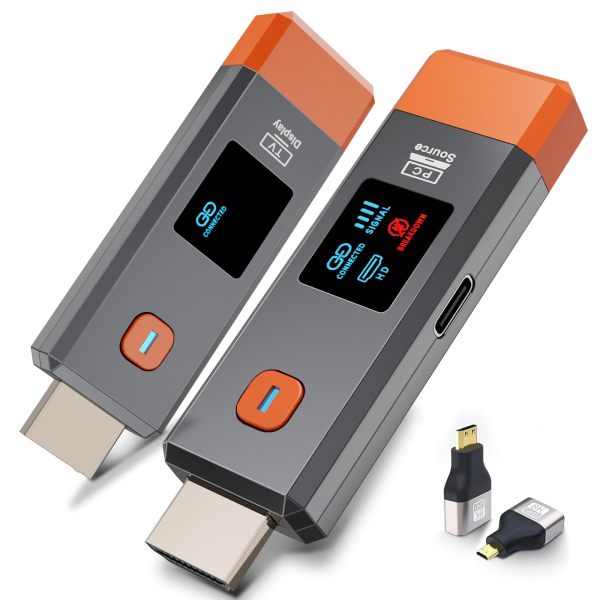
Amazon US Market Analysis: Wireless Display Adapters Category
Demand for wireless display continues to grow, but user expectations for performance and experience are increasing daily. The market is transitioning from 'having the function' to 'how well it works.' Consumers expect more stable, clearer, and more compatible wireless display