j5create ScreenCast HDMI Wireless Display Adapter Receiver - Mirror Phone, Tablet, Laptop to HDTV - Compatible with MiraCast, AirPlay, Android, Windows 10 PC, iOS, iPhone, Tablet (JVAW56)
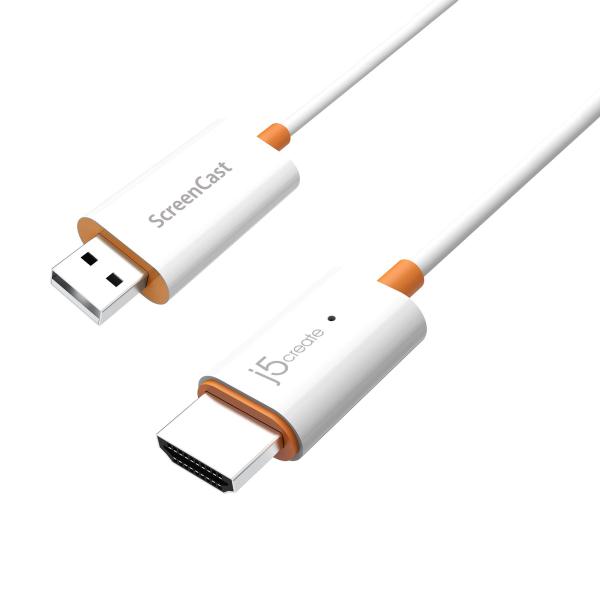
Brand: j5create
ASIN: B08PZ7N1Q2 ✓ Copied!
PASIN: B08PZ7N1Q2
Price: $49.99
About this item
- Effortless Wireless Streaming - Wirelessly projecting your favorite content from your phone, tablet, or laptop to the big screen. The ScreenCast Wireless Display Adapter supports Miracast and AirPlay, ensuring seamless compatibility with devices like Windows laptops, MacBooks, iPhones, iPads, and Android devices (Note: Not compatible with Chromebook). Experience freedom from cables and enjoy the convenience of instant screen sharing.
- Compact Design, Maximum Portability - Take your presentations or entertainment anywhere with this lightweight and portable wireless HDMI display adapter. Whether you're in the office, at home, or on the go. Perfect for conference rooms, multimedia learning, or creating a cinematic experience at home.
- Unmatched Stability and Low Latency - Stream with confidence thanks to the dual-band 2.4/5GHz antennas, delivering stable connections and smooth video playback. With a transmission range of up to 50 feet and ultra-low latency, the ScreenCast adapter ensures a flawless streaming experience, whether you're watching or sharing a presentation.
- High-Definition Excellence - Enjoy crystal-clear visuals with support for full 1080p HD resolution. Whether it's videos, slideshows, or work presentations, the ScreenCast adapter brings your content to life with vivid clarity.
- Versatile Device Compatibility - The ScreenCast adapter supports a wide array of devices and platforms, including Windows, macOS, iOS, and Android, making it your go-to solution for casting to any TV or screen with HDMI port. Designed for a simple setup – plug in, connect, and start sharing. A step-by-step guide is included to assist with installation.
Core Selling Points Analysis
🎯 Wirelessly project content from phones, tablets, and laptops to a large screen, supporting multiple protocols and devices.
🎯 Provides stable connections and smooth video playback via dual-band antennas, featuring long transmission range and ultra-low latency.
🎯 The product is designed to be compact, lightweight, easy to carry, and suitable for use in the office, at home, or on the go.
Pros & Cons Analysis
Product Pros
-
Easy Installation & Setup
Users widely report that the product installation process is intuitive and simple, requiring no complex steps to establish a connection, significantly lowering the technical barrier and time cost for first-time use. -
Broad Multi-Device Compatibility
Supports Miracast and AirPlay protocols, compatible with mainstream operating systems like Windows, macOS, iOS, and Android, meeting the needs of most users to cast from phones, tablets, or laptops to a larger screen. -
Compact & Portable Design
The product is small, lightweight, and easy to carry, whether for business travel, classroom presentations, or home entertainment, enhancing device flexibility by enabling convenient use across different locations. -
Strong Performance in Specific Scenarios
In some users' usage scenarios, particularly for static PPT presentations or watching non-high-frame-rate videos, the adapter performs stably, delivering a satisfactory wireless casting experience.
Product Cons
-
Poor Connection Stability
When attempting wireless casting, some users experience connection drops, difficulty establishing a connection, or the need for repeated attempts, preventing stable and reliable use of the casting function and severely disrupting the user experience. -
Audio-Video Desync & Degraded Picture Quality
When watching dynamic videos or conducting real-time presentations, users report issues like screen freezing, pixelation, audio delay, or lagging image updates. This prevents the product from delivering on its 'ultra-low latency' and 'HD excellence' promises, ruining the media consumption experience. -
Specific Device Compatibility Limitations
The product explicitly states incompatibility with Chromebook devices, meaning Chromebook users cannot use it even if they own the adapter, limiting its potential user base and device coverage. -
Lack of Effective Setup Support
Some users encountering problems during setup found the provided installation support or troubleshooting guides insufficiently detailed or easy to understand, making it difficult to resolve technical issues independently and increasing frustration.
🕵️♂️ Are these common issues in the category or isolated cases? View Related Category Analysis for industry-level insights.
Related Category Analysis
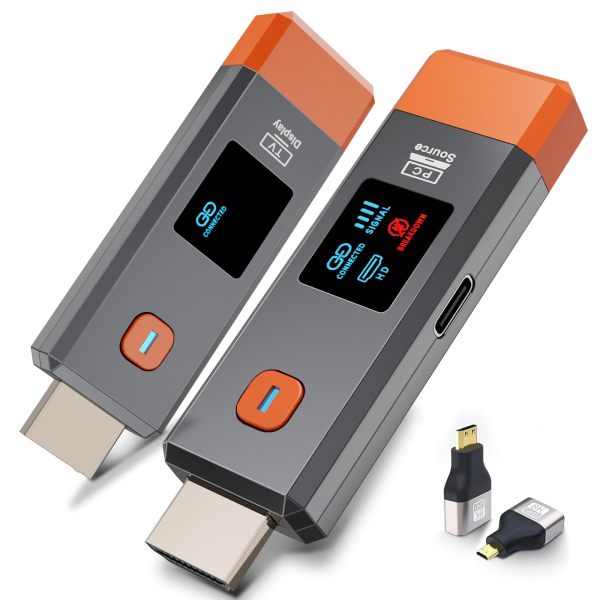
Amazon US Market Analysis: Wireless Display Adapters Category
Demand for wireless display continues to grow, but user expectations for performance and experience are increasing daily. The market is transitioning from 'having the function' to 'how well it works.' Consumers expect more stable, clearer, and more compatible wireless display