Amazon US Market Analysis: Thermal Shipping Label Printers Category
📊 Executive Summary
📈 Market Trends
Wireless connectivity is becoming standard; convenience and efficiency are the main themes. Demand for wireless Bluetooth connectivity, multi-system compatibility, and high-speed, consumable-free printing continues to grow in the thermal shipping label printer market. Consumers expect devices to be more compact, intelligent, and seamlessly integrate into diverse office and shipping scenarios.
⚡ Major Pain Points
Unstable Bluetooth connections and complex setup are core pain points; print quality consistency is questionable. Users commonly report Bluetooth connection issues with existing products on systems like Mac, as well as cumbersome driver/app installation processes. Occasional blurry prints, skipping, or paper jams severely impact work efficiency and trust in product reliability. Furthermore, a significant gap exists between advertised 'ease of use' and actual experience.
💡 Selection Opportunities
Deepen focus on user experience details, solve pain points, achieve differentiation. Market opportunities lie in developing a truly seamless cross-platform wireless connection solution, especially native support for Mac users; building a smart print assistant app ecosystem integrating design, diagnostics, and management functions; enhancing extremely stable print quality and intelligent anti-error paper feeding to fundamentally eliminate user concerns; and exploring true portable mobile printers with built-in batteries to expand product application in more mobile scenarios, enabling higher price premiums.
I. Analysis Overview
1.1 Introduction & Report Scope
This report analyzes the 'Label Printers' category (Thermal Shipping Label Printers) within the Amazon US market, focusing on target user personas, core needs, decision drivers, market communication, and potential opportunities.
1.2 Category Snapshot
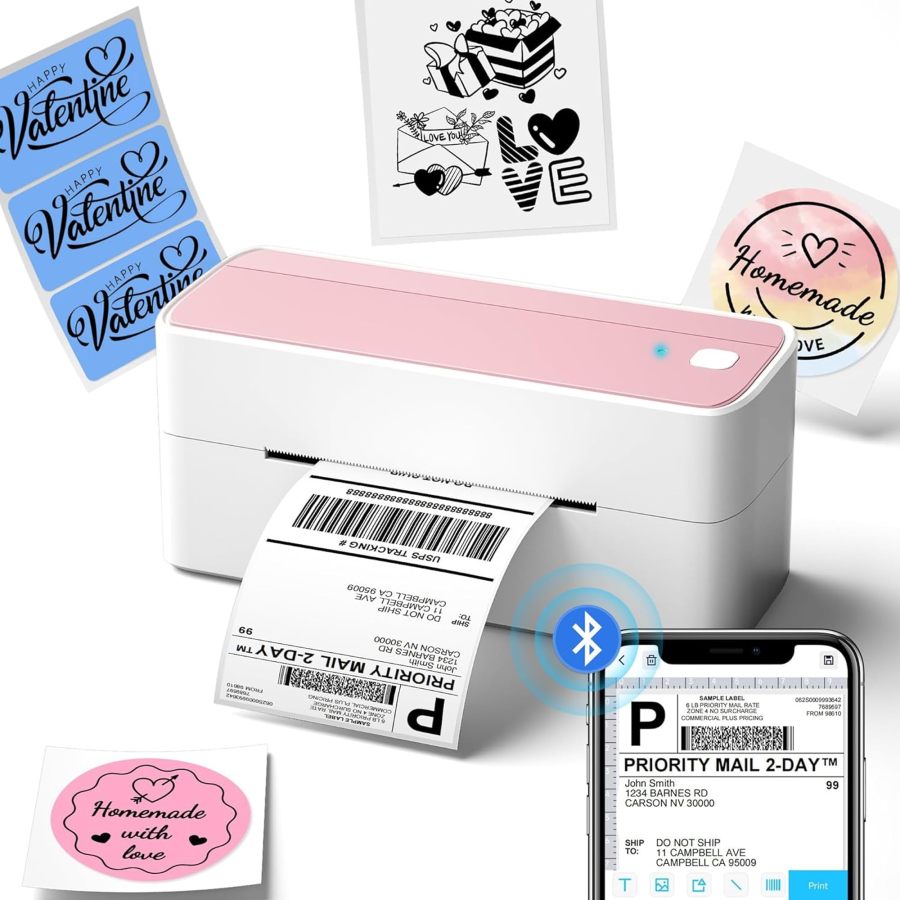
A thermal shipping label printer is a device that prints information onto specialized label paper using thermal technology, requiring no ink or toner. It is primarily used for printing shipping labels, product barcodes, address labels, etc., to enhance the shipping and management efficiency of small businesses, e-commerce sellers, and home users. These products commonly emphasize wireless connectivity, multi-system compatibility, and efficient printing without consumables. The following table illustrates the key characteristics of consumer behavior in this category.
| Dimension | Segment | Description |
|---|---|---|
| Need Driver Type | Planned Purchase / Emergency-driven Purchase | User purchases typically stem from anticipated content creation, video conferencing needs, or emergency scenarios like sudden low-light shooting, with clear expectations for immediate fill light. |
| Purchase Frequency | Low Frequency | As a durable office device, its replacement cycle is typically long; it is not a fast-moving consumer good, resulting in low repurchase frequency. |
| Decision Complexity | Medium | Consumers will compare multiple dimensions such as compatibility, print quality, connection methods, ease of use, and price, but will not conduct deep research. |
| Price Sensitivity | Medium to High | Price is an important consideration; users seek high cost-effectiveness while also being willing to pay a reasonable premium for stability, reliability, and convenience. |
| Emotional Dependency | Low | Primarily based on functional needs and practical value, but operational convenience and efficiency gains can provide positive emotional value. |
II. User Personas & Usage Scenarios
2.1 Small E-commerce Seller / Home-based Entrepreneur
🎯 An individual running a small e-commerce or handmade goods business from home, pursuing efficient and convenient package shipping solutions.
| Typical Usage Scenarios | Core Pain Points | Primary Purchase Drivers |
|---|---|---|
|
|
|
2.2 Office Administrator / Small Business Procurement
🎯 Responsible for office supply procurement and IT equipment management, prioritizing stable operation, easy maintenance, and multi-user sharing.
| Typical Usage Scenarios | Core Pain Points | Primary Purchase Drivers |
|---|---|---|
|
|
|
III. User Needs Hierarchy (KANO Model)
3.1 Basic Needs (Must-Haves)
- Clear Print Quality: Barcodes and text must be clearly readable to ensure accurate shipping scans, with a resolution of at least 203 DPI.
- No Consumables Required: Utilizes thermal technology, eliminating the need for ink or toner, reducing usage costs, and meeting user expectations for economy.
- Compatible with Standard Sizes: Supports printing 4x6 inch (100x150mm) and other common label sizes to meet primary shipping requirements.
- Fast Printing: Features high printing speed (e.g., 72 4x6 labels per minute) to meet daily and batch printing needs, boosting efficiency.
3.2 Performance Needs (Linear Satisfiers)
- Multi-platform Compatibility: Seamless integration with major e-commerce platforms (Amazon, eBay, Shopify, etc.) and logistics carriers (USPS, UPS, FedEx).
- Multi-device Connectivity: Supports Bluetooth (phone, tablet) and USB (PC, Mac) connections for flexible switching between devices.
- Easy Setup & Use: Simple, intuitive driver and companion app installation process with clear picture/video tutorials to reduce learning curve.
- Compact Size: Product has a small footprint, saving desk space and facilitating placement or storage in different work areas.
- Stable & Reliable: Printing process is free from paper jams, print errors, blank labels, or connection interruptions.
3.3 Excitement Needs (Delighters)
- Smart Label Handling: Features like auto-calibration, smart label size recognition, waste prevention, and jam prevention to further enhance user experience.
- Powerful App Features: Companion app offers rich commercial templates, custom design tools, image import, OCR, and other advanced editing capabilities for enhanced personalization.
- Extended Warranty & Support: Provides warranty periods exceeding industry standards (e.g., 2 years or even lifetime) and timely, effective multi-channel (phone, email, remote) technical support.
- Aesthetic Design / Color Options: Features stylish appearance or offers personalized color choices (e.g., pink) to boost product appeal and office aesthetics.
3.4 Unmet Needs & Opportunities
- Bluetooth Connection Stability & Full-System Compatibility: Existing products still have unstable Bluetooth connections or require complex setup on specific systems like Mac, and generally force reliance on specific apps, preventing true native system-level wireless convenience.
- App User Experience & Feature Depth: Some companion apps have limited features or unintuitive interfaces; advanced functions like PDF cropping and template customization offer poor experience, falling short of advertised 'powerful' capabilities.
- Print Output Consistency & Reliability: Users frequently report inconsistent print quality, such as blurring, skipping labels, paper jams, or label cutting misalignment, affecting barcode readability and causing consumable waste.
- True Mobile Printing Portability: Despite compact size, most products still require a power outlet, failing to offer a truly wireless mobile printing solution with a built-in battery, limiting use in outdoor or temporary work scenarios.
IV. User Decision Drivers
4.1 Key Decision Factors
- Print Quality & Clarity: Ensuring barcodes are scannable and text is readable directly impacts smooth shipping logistics and business professionalism, serving as the core basis for purchase decisions.
- Connection & Setup Convenience: Users expect devices to connect quickly and stably, whether via USB or Bluetooth, with a simple installation process that directly impacts initial use experience and daily operation smoothness.
- Multi-platform Compatibility: The ability to seamlessly integrate with major e-commerce platforms (e.g., Amazon, Shopify) and logistics carriers (e.g., USPS, UPS) directly determines the product's usability within the user's existing workflow.
- Long-term Cost-effectiveness: The economic advantage of thermal technology eliminating ink/toner costs is a key reason users choose this category, focusing on total cost of ownership.
4.2 Secondary Decision Factors
- Print Speed: Impacts order processing efficiency, especially for small business users handling bulk shipments, where speed is key to productivity.
- Compact Size: Saves desk space, facilitates switching between work areas or storage, and improves office environment tidiness.
- Companion App Features & Ease of Use: Affects the convenience of custom label design, editing, mobile operation, and troubleshooting efficiency.
- After-sales Service & Support: The ability to receive timely, professional technical assistance when connection or printing issues arise is crucial for user peace of mind.
V. Selling Points & Competitive Landscape
5.1 Selling Point Analysis
5.1.1 Standard Features (Points of Parity)
- Thermal Technology, No Ink/Toner: Emphasizes zero consumable costs and expense savings, the core selling point and fundamental driver for all thermal printer purchases.
- 4x6 Inch Label Printing: Adapts to standard shipping sizes, meeting mainstream shipping label printing needs, a basic category function.
- High-speed Printing: Commonly advertised as 72 per minute or one per second for 4x6 labels, highlighting efficient handling of large order volumes.
- Broad Platform Compatibility: Emphasizes support for major e-commerce and logistics platforms like Amazon, eBay, Shopify, USPS, alleviating user compatibility concerns.
5.1.2 Key Differentiators
- Bluetooth Wireless Connection: Provides phone/tablet printing convenience, freeing users from cables and enhancing operational flexibility.
- Multi-OS Compatibility: Advertised support for Windows, Mac, iOS, Android, ChromeOS, Linux, covering a broader user base.
- Easy Installation & Setup: Simplifies user onboarding through USB drivers, video tutorials, app guides, improving initial experience.
- Compact Design: Emphasizes small product footprint, saving desk space, and facilitating use or storage in various scenarios.
5.1.3 Unique Selling Propositions (USPs)
- Built-in Label Cassette: Some models feature a built-in paper cassette, eliminating the need for an extra stand, keeping desks tidier and further saving space.
- Advanced App Features: Offers rich template libraries, AI recognition, custom design tools, and other value-added services to enhance user creativity.
- Extended Warranty & Tech Support: Some brands offer two-year or even lifetime tech support/warranty, boosting user purchase confidence and long-term usage assurance.
- DAC Dynamic Algorithm Technology: Advertises high-precision anti-misalignment printing, reducing label waste, and improving print accuracy and reliability.
5.2 Competitive Landscape
5.2.1 Market Maturity
The thermal shipping label printer market has entered a mature stage. Core functions like thermal printing, 4x6 label support, and high-speed printing are widespread and highly homogenized. Competitive focus is shifting from basic performance to user experience optimization and differentiated services, especially in connection convenience, software features, and after-sales support.
5.2.2 Innovation Trends
Innovation trends primarily focus on improving wireless connection stability and full-platform compatibility (especially for Mac and Chromebook), optimizing companion app features (e.g., smart recognition, rich templates, fault diagnosis) and user experience, and providing more convenient label handling solutions through built-in designs (e.g., label cassettes). Additionally, some brands are beginning to attract users through aesthetic design, extended warranties, and more user-friendly setup processes.
VI. Marketing Claims vs. Reality Check
The table below analyzes the gap between common marketing claims and actual user experiences in this category:
| Dimension | Marketing Claim | User Reality | Verdict |
|---|---|---|---|
| Bluetooth Connection Promise vs. Mac Compatibility | Bluetooth connection for all device systems, supporting iOS, Android, Windows, and Mac, enabling wireless, convenient printing. | User feedback indicates Mac OS generally does not support Bluetooth printing; even Mac M-chip models require connection via an app; Bluetooth connection for all mobile devices is mandatory through a specific app, preventing direct system pairing. | Sellers create an illusion of 'seamless wireless' by obscuring compatibility details and operational prerequisites, creating a strong contrast with the limitations and complexities experienced by Mac and Windows users, leading to unmet expectations. |
| 'Easy Setup' vs. Actual User Onboarding Experience | One-minute setup, simple and easy to use, providing USB drivers and video tutorials, allowing even beginners to get started quickly. | Numerous users report driver installation difficulties, unclear or outdated app instructions, and even feedback causing computer crashes; setup steps for different systems (especially Linux and Chrome OS) are complex, far from 'one-minute' or 'foolproof' operation. | Sellers oversimplify the definition of 'ease of use,' underestimating user cognitive barriers and the IT technical complexity of device setup, leading to significant user frustration and high return risk during initial experience. |
| Print Quality Stability & Paper Handling | 203 DPI high resolution, clear and readable, no paper jams, no label waste. | Users frequently report blurry prints, occasional skipping of blank labels, label feed misalignment, or paper jams; some products have poor compatibility with non-original label paper, affecting print consistency and causing consumable waste. | Sellers exhibit inconsistent quality control regarding the core function of 'print quality and stability,' failing to deliver on promises of clarity and efficiency, directly impacting user productivity and trust. |
Key Takeaway: The market exhibits a widespread tendency for inflated specifications and exaggerated scenario-based experiences, particularly regarding 'Bluetooth connection convenience' and 'ease of setup'.
VII. Supply-Demand Misalignment Analysis
The table below highlights mismatches between seller focus and buyer priorities:
| Dimension | Seller Behavior | User Focus | Verdict |
|---|---|---|---|
| The 'Seamlessness' of Bluetooth Connection | Generally emphasize Bluetooth wireless connection and broad system compatibility (including Mac), but rarely mention the mandatory nature of the connection app, lack of Mac Bluetooth support, or additional steps for Windows Bluetooth setup. | Users complain that Mac cannot connect via Bluetooth, Windows Bluetooth is complex, app connections are unstable or disconnect, believing the actual experience is far from the advertised 'seamless'. | Sellers market the concept of 'wireless convenience' but fail to provide matching solutions for core connection details and actual operational experience, creating a significant user experience gap. |
| 'Foolproof' Initial Setup Experience | Most listings promise 'easy setup,' 'one-minute setup,' backed by USB or video tutorials, but do not adequately anticipate or solve various complex issues users encounter during driver and app configuration. | Numerous users report driver installation difficulties, outdated or unclear app tutorials, leading to time-consuming and frustrating initial setup, sometimes requiring customer support. | Sellers equate 'providing installation resources' with 'easy setup,' underestimating the true user need for device installation convenience, failing to completely eliminate technical barriers and psychological anxiety during first use. |
| Print Stability & Reliability | Sellers commonly advertise 'high-speed, clear, inkless' but pay insufficient attention to high-frequency issues like paper jams, skipping, blurry prints, or cutting misalignment that may occur during actual long-term use, lacking substantial improvements or safeguards. | Users frequently report printing errors, causing consumable waste and workflow interruptions, impacting shipping efficiency and business professional image. | Sellers focus on promoting performance metrics under ideal conditions, overlooking users' deep-seated need for product core function 'reliability,' which directly affects core workflows and brand trust. |
Key Takeaway: Sellers overpromise on 'full-system Bluetooth wireless compatibility' while lacking detail, and collectively fail to address the strong user pain points of 'truly hassle-free setup experience' and 'core print stability'.
VIII. Strategic Opportunities & Recommendations
8.1 Truly Seamless Cross-Platform Wireless Connection Solution
8.1.1 Target Audience & Pain Points
⚡️ Pain Points Addressed: Mac Bluetooth incompatibility, Windows setup complexity, mandatory app dependency; multi-device connection instability.
8.1.2 Action Plan
Invest in R&D to optimize Bluetooth modules and underlying protocols, achieving plug-and-play functionality across all mainstream operating systems (including Mac) without complex driver installation or repeated app pairing. Explore a web-based setup interface that completes most configurations without installing client software.
| Tech Complexity | Medium |
| Cost Impact | Medium Impact |
| Trade-off Warning | No significant physical side effects, primarily involves software-hardware co-optimization. |
| Price Band | Only viable above $79.99 |
8.1.3 Marketing Strategy
Emphasize 'Say goodbye to complex setup, start wireless printing instantly-your shipping labels have never been this convenient, with true Mac Bluetooth direct connection!' Demonstrate seamless connectivity through official certifications and comparative test videos.
8.2 Smart Print Assistant App & Visual Troubleshooting
8.2.1 Target Audience & Pain Points
⚡️ Pain Points Addressed: App features are limited, tutorials outdated, troubleshooting difficult; label design is complex.
8.2.2 Action Plan
Develop a smart app integrating design, editing, printing, diagnostics, and consumables management. Core features include: AI-powered smart recognition and automatic cropping of shipping labels from PDFs/images; a vast library of commercial-grade, customizable label templates; built-in AR/AI-assisted design features; clear fault diagnosis with picture/video solutions.
| Tech Complexity | Medium |
| Cost Impact | Low Impact |
| Trade-off Warning | No significant physical side effects, primarily software development cost, potentially involving cloud service fees. |
| Price Band | Only viable above $69.99 (as added value) |
8.2.3 Marketing Strategy
Highlight 'Not just a printer, but your exclusive label design and management hub-unleash unlimited creativity, intelligently solve printing challenges!' Release app demo videos emphasizing its value as a one-stop label solution.
8.3 Extremely Stable Print Quality & Intelligent Anti-Error Paper Feed System
8.3.1 Target Audience & Pain Points
⚡️ Pain Points Addressed: Blurry prints, skipping, paper jams, cutting misalignment; consumable waste.
8.3.2 Action Plan
Upgrade print head (consider 300 DPI models for premium lines), adopt more precise paper sensors and stable feed rollers; optimize internal structure to reduce jam rates; introduce smart calibration algorithms to ensure precise label alignment and cutting.
| Tech Complexity | Medium |
| Cost Impact | Medium Impact |
| Trade-off Warning | No significant physical side effects, may slightly increase internal structural complexity, but user experience improvement is substantial. |
| Price Band | Only viable above $64.99 |
8.3.3 Marketing Strategy
Emphasize 'Print without errors, every label clear and scannable-your business deserves a more reliable printing partner!' Showcase exceptional print stability and precision through third-party authoritative test reports and user comparison videos.
8.4 True Portable Mobile Printer with Built-in High-Capacity Battery
8.4.1 Target Audience & Pain Points
⚡️ Pain Points Addressed: Compact product still requires power outlet, inconvenient for mobile use, limiting outdoor or temporary work scenarios.
8.4.2 Action Plan
Integrate high-energy-density lithium batteries (e.g., 2000-3000mAh), optimize power management IC for longer runtime (e.g., continuous printing for 1-2 hours in high-brightness mode); further optimize structural design to control size and weight while ensuring sufficient battery life.
| Tech Complexity | High |
| Cost Impact | High Impact |
| Trade-off Warning | Increased battery capacity may lead to slightly thicker or heavier product (10-20%), requiring balance between portability and battery life. |
| Price Band | Only viable above $99.99 |
8.4.3 Marketing Strategy
Highlight 'Print anytime, anywhere-break free from power cords, make business and life more flexible!' Showcase product usage in real outdoor markets, temporary warehouses, and other scenarios without fixed power sources, emphasizing actual battery life.