Amazon US Market Analysis: Mobile TV Stands Category
📊 Executive Summary
📈 Market Trends
Portability and multi-functionality remain core, but the giant screen trend drives demand for upgrades. The mobile TV stand market is maturing, with consumers having high expectations for basic functions like size compatibility, height adjustment, and shelving. As large-screen TVs proliferate, demand is growing for professional-grade stands that can stably carry giant screens and provide an ultimate mobile experience, alongside increased focus on aesthetic features like integrated power and cable management.
⚡ Major Pain Points
Complex assembly, questionable stability, and misleading claims erode user trust. The category's biggest pain points are poor product assembly experience, with users commonly reporting vague instructions and part issues leading to a bad first impression. Furthermore, the stark contrast between claimed 'heavy-duty stability' and the actual wobbling sensation when moving, along with cumbersome screen adjustment, severely damages user trust in product quality and brand claims.
💡 Selection Opportunities
Deeply address user experience pain points, enhance reliability and convenience. Core opportunities lie in: 1) Radically optimizing the assembly process by providing pre-assembled modules and clear video tutorials, turning 'easy assembly' from a marketing slogan into a real experience. 2) Creating a truly 'rock-solid' stand for extra-large screens to meet the safety needs of giant TVs and provide professional-grade certification. 3) Upgrading the integrated power solution to ensure UL certification, interface richness, and safety. By solidifying and strengthening core functionalities and improving convenience in details, differentiation and brand trust can be built in a homogenized market.
I. Analysis Overview
1.1 Introduction & Report Scope
This report analyzes the 'AV Carts & Stands' category (mobile TV stands) in the US Amazon market, focusing on target user personas, core needs, decision drivers, market communication, and potential opportunities.
1.2 Category Snapshot
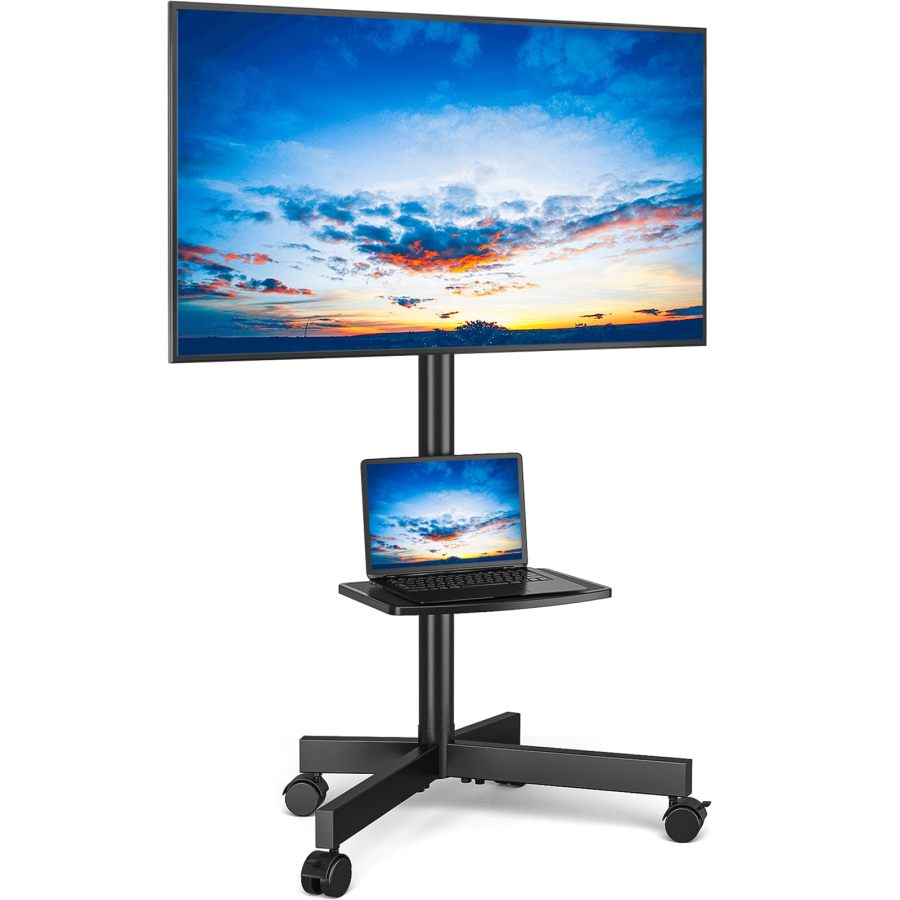
A mobile TV stand is a freestanding display stand with wheels, designed to provide flexible mobility for TVs or monitors across different spaces. Its core function is to securely support the display, often with additional features like height adjustment and shelving to meet diverse application needs in home entertainment, business presentations, and education, freeing users from the constraints of traditional TV cabinets or wall mounts. The following table illustrates the key characteristics of consumer behavior in this category.
| Dimension | Segment | Description |
|---|---|---|
| Need Driver Type | Planned Purchase / Emergency-driven Purchase | Purchases are typically driven by anticipated needs for spatial flexibility, avoiding wall mounts, optimizing home layout, or an urgent need to temporarily solve TV placement. |
| Purchase Frequency | Low Frequency | As a durable consumer good, users typically make a one-time purchase with a long replacement cycle, unless there is an upgrade or damage requirement. |
| Decision Complexity | Medium | Consumers compare TV size compatibility, load capacity, stability, mobility ease, assembly difficulty, and price, but do not conduct deep research. |
| Price Sensitivity | Medium | Price is an important consideration, but users are willing to pay a reasonable premium for reliable stability, broad compatibility, and practical additional features. |
| Emotional Dependency | Low | Purchases are mainly driven by functional utility and spatial flexibility, but the product also provides emotional value through space tidiness, convenience, and peace of mind. |
II. User Personas & Usage Scenarios
2.1 Home Flexibility Seeker
🎯 Household users who wish to watch TV in different rooms (living room, bedroom, kitchen, outdoor patio) or optimize layout in small spaces.
| Typical Usage Scenarios | Core Pain Points | Primary Purchase Drivers |
|---|---|---|
|
|
|
2.2 Business/Education Presenter
🎯 Professionals who need to present in different meeting rooms, classrooms, or exhibitions, with high requirements for equipment stability, efficient deployment, and professional presentation.
| Typical Usage Scenarios | Core Pain Points | Primary Purchase Drivers |
|---|---|---|
|
|
|
III. User Needs Hierarchy (KANO Model)
3.1 Basic Needs (Must-Haves)
- Broad Compatibility: Must accommodate mainstream flat/curved TV sizes (e.g., 23-75 inches) and support universal VESA mounting standards.
- Stable Load Capacity: Must safely and securely support the TV's weight without risk of wobbling or tipping, ensuring device and personal safety.
- Smooth Mobility: Equipped with lockable casters for smooth, quiet movement on different floor surfaces (hardwood, carpet) without damaging floors.
- Easy Assembly: Provide clear, easy-to-understand installation instructions and complete installation tools/accessories to reduce user frustration during setup.
3.2 Performance Needs (Linear Satisfiers)
- Height Adjustment: Offer multi-level or continuous height adjustment to achieve the optimal viewing height for sitting, standing, or different scenarios.
- Cable Management: Design with hidden cable channels, ties, or hubs to keep connection cables neat and orderly, avoiding clutter and tripping hazards.
- Storage Shelf/Platform: Include an adjustable-height tray or shelf for placing AV equipment like set-top boxes, DVD players, game consoles, and laptops, enhancing utility.
- Screen Angle Adjustment: Support screen tilt (to reduce glare) or rotation (landscape/portrait switching) to optimize viewing angles for different lighting and content needs.
3.3 Excitement Needs (Delighters)
- Integrated Power Outlet: Built-in power outlets and USB charging ports on the stand for convenient power supply to the TV and peripherals, reducing power strip use and cable clutter.
- Tool-Free Adjustment: Height or angle adjustment without needing extra tools, enabling quick and convenient on-the-fly adjustments for a smoother user experience.
- Integrated Aesthetic Design: Sleek, modern appearance that seamlessly blends into contemporary home or office environments, elevating overall style beyond just a functional tool.
3.4 Unmet Needs & Opportunities
- A Truly 'Easy Assembly' Experience: Most products claim easy assembly, but users often encounter unclear instructions, wrong parts, or misaligned holes, leading to time-consuming and frustrating installation that falls far short of expectations.
- Insufficient Stability for Moving Large TVs: Some heavy-duty stands still wobble or even allow the TV to slide within the mount when moving large screens, contradicting their 'heavy-duty' claims and eroding trust in moving safety for high-value equipment.
- Instant, Seamless Angle Adjustment: The tilt/rotation functions claimed by most products still require loosening screws for adjustment, lacking true 'instant, tool-free' convenience, limiting users' need for quick switching between scenarios.
- Safe & Reliable Integrated Power Solution: Safety concerns exist for some built-in outlets, or interfaces are insufficient (e.g., lacking USB-C PD). Users desire higher-grade UL/ETL safety certification and more diverse charging interfaces.
IV. User Decision Drivers
4.1 Key Decision Factors
- Product Stability & Safety: Users are most concerned about whether the TV can be safely and securely fixed to the stand, especially for large, high-value TVs. Avoiding wobble, tipping, or falling risks is the primary purchase consideration.
- Screen Size & VESA Compatibility: Ensuring the stand perfectly fits their TV's size range and VESA hole pattern standard is the prerequisite for product usability.
- Mobility Smoothness & Braking Effectiveness: The smoothness and quietness of casters on different floor surfaces, along with the reliability of the locking function, directly impact daily convenience and safety.
- Assembly Difficulty & Clarity: Clarity of instructions, completeness and ease of identifying parts, and the overall time and complexity of the assembly process are key to initial user satisfaction.
4.2 Secondary Decision Factors
- Price & Value for Money: After core needs and stability are met, users compare prices across products, seeking the best value option and are willing to pay a reasonable premium for a superior experience.
- Height Adjustment Range & Flexibility: Ability to adjust to the optimal viewing height for sitting, standing, or specific use cases, and the ease of making those adjustments.
- Practicality of Additional Features: Load capacity, size, and number of shelves; the type and safety of built-in power outlets; effectiveness of cable management-all are important value-add factors.
- Appearance Design & Material: Whether the stand is aesthetically pleasing and can blend into home or office environments, and the quality feel of materials (e.g., metal, wood-grain base) affect the product's overall perceived quality and user satisfaction.
V. Selling Points & Competitive Landscape
5.1 Selling Point Analysis
5.1.1 Standard Features (Points of Parity)
- Mobile Convenience: Almost all products emphasize having casters for easy TV movement between rooms or scenarios, enabling spatial flexibility.
- Broad Compatibility: Compatible with mainstream 32-75 inch (some cover 13-83 inch) flat/curved TVs, supporting various VESA standards.
- Height Adjustable: Offer multi-level or continuous height adjustment to accommodate different viewing needs and user heights.
- Sturdy & Durable: Commonly claim use of alloy steel, metal, and other robust materials to ensure a solid structure with strong load capacity (88-220 lbs).
- Easy to Install: Most products claim simple assembly, providing detailed instructions and necessary hardware tools.
5.1.2 Key Differentiators
- Integrated Power Outlet: Some products feature built-in AC outlets and USB ports for convenient power supply and charging of the TV and peripherals, reducing cable clutter.
- Screen Tilt/Rotation: Provide screen tilt at different angles (to reduce glare) or 90-degree rotation (landscape/portrait switching) to optimize viewing angles.
- Cable Management System: Designed with cable channels, conduits, or ties to keep the stand and connection cables tidy.
- Multi-Functional Storage Shelf: Provide adjustable-height trays or multi-level shelves for placing accessories like laptops, DVD players, game consoles, and cameras.
5.1.3 Unique Selling Propositions (USPs)
- Extra-Large Screen Heavy-Duty Support: Very few products emphasize support for extra-large screens up to 100 or even 120 inches, with load capacities as high as 300 lbs.
- Foot-Pedal Locking Casters: Some products feature foot-pedal locking wheels for convenient operation without bending over.
- Dual-Column/Reinforced Structure: A few products use reinforced structural designs like dual columns or X-shaped bases to further enhance stability and anti-wobble capability.
- Distinctive Aesthetic Design: For example, wood-grain bases, white finishes, etc., emphasizing stylish integration into home decor.
5.2 Competitive Landscape
5.2.1 Market Maturity
The mobile TV stand market has matured, with basic functions and core selling points highly homogenized. Brands primarily compete on price, offer broader size compatibility, optimize material details, and add differentiating features like integrated power and more flexible angle adjustment.
5.2.2 Innovation Trends
Current innovation trends include: moving towards supporting larger and heavier screens; focusing on improving user experience, such as simplifying assembly and enabling tool-free adjustment; integrating more smart features like safe, reliable built-in power and optimized cable management; and some products beginning to emphasize aesthetic design and cross-category functionality fusion like mobile workstations. Sellers are also highlighting the product's professional suitability for specific scenarios like business, education, and fitness.
VI. Marketing Claims vs. Reality Check
The table below analyzes the gap between common marketing claims and actual user experiences in this category:
| Dimension | Marketing Claim | User Reality | Verdict |
|---|---|---|---|
| Assembly Experience | Easy assembly, can be completed in 10-20 minutes, with clear instructions provided. | User feedback for multiple products (B0CNP63JN2, B0DF26Q5DJ, B0CNVNVWZZ, B0B4H9YCHB, B08YYT1SPH) commonly points out unclear instructions, missing parts/misaligned holes, leading to complex, time-consuming assembly that far exceeds the claimed time. | Sellers oversimplify assembly convenience, overlooking the actual complexity users face-a classic disconnect between 'perceived as simple' and 'actual user experience.' |
| Load Capacity & Stability | Heavy-duty design, high-strength alloy steel, load capacity up to 88-220 lbs, stable and wobble-free. | User feedback for some products (B0CNP63JN2, B0CLS3JTX5, B0BNZXBGJ1) indicates wobbling or even tipping risk when moving or using the stand, even below max load, especially noticeable with large TVs. | Structural strength is compromised for cost or weight reduction, preventing delivery on promises for core safety attributes. Load capacity and stability are hard metrics; they cannot be overstated. |
| Screen Angle Adjustment Convenience | Multi-angle tilt/rotation provides the best viewing angle, freely adjustable. | For many products (B0CNP63JN2, B0B394G3TF, B0CXXLCT14, B0CJXTLNT9, B082YFK1T5, B08S6S19CR, B0BNZXBGJ1), the claimed tilt/rotation function still requires manually loosening screws for adjustment, lacking true tool-free, instant convenience. | Sellers equate the 'existence' of a function with it being 'user-friendly,' ignoring the core user need for operational convenience, creating a disconnect between marketing and actual experience. |
Key Takeaway: The market exhibits a widespread tendency to exaggerate 'easy assembly' and 'stability,' creating a significant gap between actual experience and marketing claims, leading to user complaints and trust erosion.
VII. Supply-Demand Misalignment Analysis
The table below highlights mismatches between seller focus and buyer priorities:
| Dimension | Seller Behavior | User Focus | Verdict |
|---|---|---|---|
| Assembly Experience | Commonly emphasize 'easy assembly,' 'install in 10-20 minutes,' and provide detailed instructions. | User feedback cites unclear assembly instructions, missing parts, or misaligned holes, leading to time-consuming, difficult installation, sometimes requiring extra screws. | Sellers underestimate the true user demand for installation convenience and the negative impact of complex assembly on the initial user experience, creating a trust gap. |
| Moving Stability for Large TVs | Emphasize 'heavy-duty load capacity,' 'high-strength materials,' but downplay wobbling or tipping risks when moving large TVs. | Users worry about wobbling instability or even dropping risks when moving large TVs, creating a cognitive dissonance with the 'heavy-duty stable' marketing. | Sellers fail to fully understand users' deep-seated concerns about moving safety for large, high-value equipment and do not provide sufficient confidence assurances in design and marketing. |
| Safety & Functionality of Integrated Power Outlets | Some products integrate power outlets and emphasize convenience, but provide insufficient information on UL/ETL certification, interface richness (e.g., USB-C PD), and potential safety hazards. | Users want integrated power to be safe and multi-interface. Some report built-in outlets damaging devices, raising safety concerns. | When offering convenient features, sellers do not prioritize and communicate quality and safety, potentially undermining trust in core functionality for minor gains. |
Key Takeaway: Sellers tend to over-promise or under-deliver on user's core concerns like 'easy assembly' and 'heavy-duty stability,' while adding superficial feature stacking in other areas, leading to a misalignment between supply and demand focus.
VIII. Strategic Opportunities & Recommendations
8.1 Heavy-Duty TV Stand with Ultimate Easy Assembly
8.1.1 Target Audience & Pain Points
⚡️ Pain Points Addressed: High assembly complexity, unclear instructions, missing/misaligned parts.
8.1.2 Action Plan
Adopt a pre-assembled modular design to drastically reduce the number of parts users need to assemble. Provide clear 3D animation or video installation tutorials. Package and clearly label all screws and tools. Optimize hole alignment precision and screw quality for perfect fit.
| Tech Complexity | Medium |
| Cost Impact | Medium Impact |
| Trade-off Warning | Pre-assembled modules may increase packaging volume and logistics costs but can significantly boost user satisfaction. |
| Price Band | Only viable above $59.99 |
8.1.3 Marketing Strategy
Highlight 'Ready out-of-the-box, 10-minute quick assembly'; Use comparison videos showcasing the 'simplified assembly experience'; Emphasize 'Zero frustration, everyone's an installation pro'; Leverage user testimonials to reinforce assembly ease.
8.2 Professional-Grade Mobile Stable Stand for Extra-Large Screens (90+ inches)
8.2.1 Target Audience & Pain Points
⚡️ Pain Points Addressed: Insufficient moving stability for extra-large TVs, low trust in current products' load capacity.
8.2.2 Action Plan
Use thickened, high-strength alloy steel dual or triple-column structures. Design a wide, low-center-of-gravity heavy base with counterweights. Equip with high-quality industrial-grade quiet, load-bearing casters. Add multiple physical anti-tip safety locks and TV anti-slip securing mechanisms. Provide UL/ETL heavy-duty certification.
| Tech Complexity | Medium |
| Cost Impact | High Impact |
| Trade-off Warning | Higher load capacity and stability mean increased overall stand weight and volume, requiring a balance with portability and installation difficulty. |
| Price Band | Only viable above $299.99 |
8.2.3 Marketing Strategy
Emphasize 'Giant Screen Exclusive, Steady as a Rock'; Showcase videos of the product smoothly moving a 98-inch TV; Highlight 'Business Presentation, Authoritative Certification, Safety Assured'; Provide professional lab reports on extreme load and anti-tip testing.
8.3 Multi-Functional Mobile Stand with Tool-Free Quick Adjustment
8.3.1 Target Audience & Pain Points
⚡️ Pain Points Addressed: Screen tilt/rotation adjustment requires tools, height adjustment is not convenient.
8.3.2 Action Plan
Integrate a gas spring or high-precision latch height adjustment mechanism for tool-free continuous or multi-level height adjustment. Use quick-release latches or ball joints for screen tilt/rotation, enabling switch between landscape/portrait or angle adjustment without tools.
| Tech Complexity | Medium |
| Cost Impact | Medium Impact |
| Trade-off Warning | More complex tool-free adjustment mechanisms (e.g., gas springs, latches) increase structural complexity and cost, potentially slightly increasing part size. |
| Price Band | Only viable above $79.99 |
8.3.3 Marketing Strategy
Highlight 'One-Second Landscape/Portrait Switch, Adjust Any Angle at Will'; Showcase videos of the smooth continuous adjustment experience; Emphasize 'Say Goodbye to Tools, Enjoy Instant Flexibility'; Deeply associate the product with scenarios like content creation and live streaming.
8.4 Mobile Stand with UL-Certified Smart & Safe Integrated Power
8.4.1 Target Audience & Pain Points
⚡️ Pain Points Addressed: Power cable clutter, questionable outlet safety, limited interface variety.
8.4.2 Action Plan
Integrate a UL/ETL-certified power outlet module providing 3-4 AC outlets, 2 USB-A fast-charging ports, and 1 USB-C PD fast-charging port. Design concealed, easy-to-use cable management channels to route all cables (including plugs) through, maintaining a tidy appearance.
| Tech Complexity | Low |
| Cost Impact | Medium Impact |
| Trade-off Warning | High-quality UL-certified power modules increase cost but have no significant physical side effects; mainly involves supply chain and certification fees. |
| Price Band | Only viable above $69.99 |
8.4.3 Marketing Strategy
Emphasize 'UL Certified, Safety Assured, Goodbye to Cable Clutter'; Showcase the convenience of powering and charging multiple devices simultaneously; Highlight 'All-in-One Smart Desktop, Tidy & Efficient Living'; Use before/after comparison images to show the dramatic difference in cable organization.