Amazon US Market Analysis: Monitor Light Bars Category
📊 Executive Summary
📈 Market Trends
Eye protection and desktop aesthetics are core demands; smart convenience is the new frontier. Demand for monitor light bars continues to grow, with consumers focusing on products that protect eye health and optimize desk space. The market is evolving from basic lighting towards integrated RGB ambiance, smart control, and superior user experience, with increasing competition in premiumization and differentiation.
⚡ Major Pain Points
Compatibility and reliability are persistent user pain points. Most products claim broad compatibility in marketing but perform poorly in actual use with curved screens and thick-bezel monitors, lacking clamp stability. Simultaneously, low-priced products commonly suffer from quality reliability issues (e.g., high failure rate, brightness degradation). Remote control operation experience is also frequently criticized, severely impacting user trust and satisfaction.
💡 Selection Opportunities
Deepen foundational experience; expand into high-end smart ecosystems. Market opportunities lie in developing highly adaptive, high-stability clamp systems to solve compatibility pain points for all monitors; launching authority-certified, high-reliability eye-care products to build trust barriers. Simultaneously, explore high-end smart product lines deeply integrated with mainstream smart home or gaming ecosystems, providing deeper personalization and immersive experiences while ensuring core function stability.
I. Analysis Overview
1.1 Introduction & Report Scope
This report analyzes the 'USB Lamps' category (Monitor Light Bars) within the US Amazon market, focusing on target user personas, core needs, decision drivers, market communication, and potential opportunities.
1.2 Category Snapshot
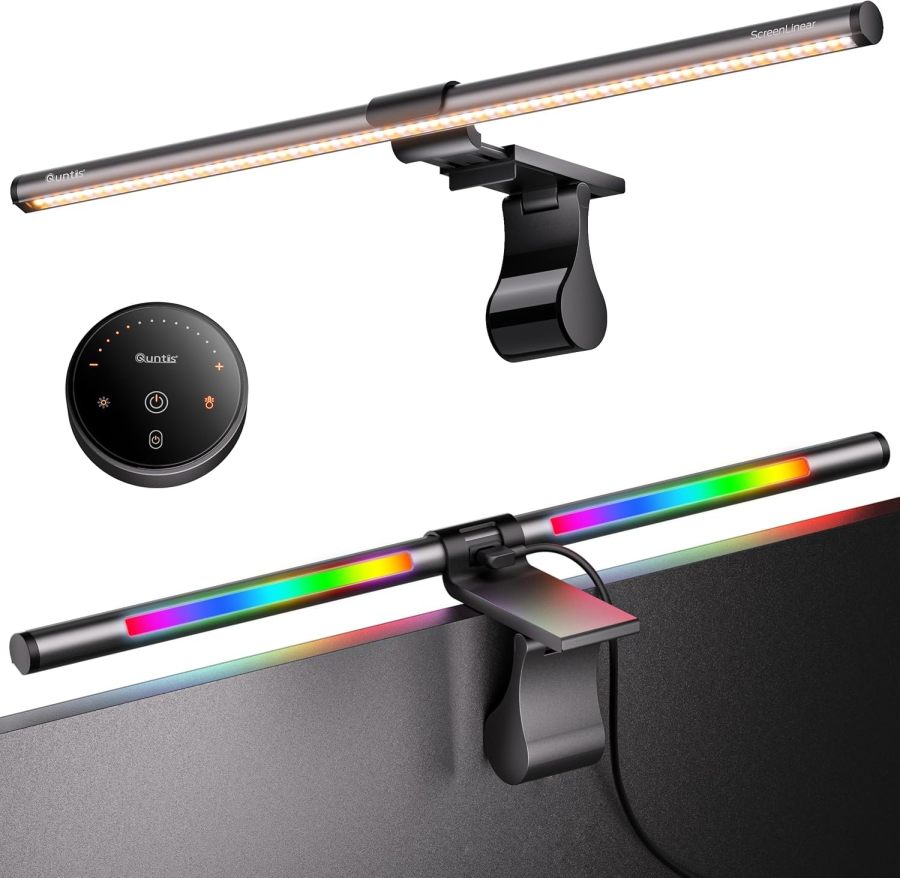
A monitor light bar is an innovative desktop lighting product, typically featuring a bar design that attaches to the top of a monitor via a clamp. Its core function is to provide glare-free, even, and soft desktop illumination, effectively reducing eye strain from prolonged computer use. Common sub-types include basic eye-care models, models with RGB ambient backlighting, and premium models integrated with wireless remote control or smart control functions. They aim to optimize the user's work, study, or entertainment experience while saving valuable desk space. The following table illustrates the key characteristics of consumer behavior in this category.
| Dimension | Segment | Description |
|---|---|---|
| Need Driver Type | Planned Purchase / Emergency-driven Purchase | Users often plan purchases due to long-term eye strain, pursuit of desktop aesthetics, or insufficient existing lighting. Some also seek solutions for sudden eye discomfort issues. |
| Purchase Frequency | Low Frequency | It is a durable consumer good. Typically purchased once and used long-term, with a low repurchase rate. New demand mainly arises from device upgrades or product failure. |
| Decision Complexity | Medium | Users need to compare multi-dimensional information such as eye-care technology, brightness/color temperature adjustment range, compatibility, control methods, and additional features, but the decision-making process is not overly complex. |
| Price Sensitivity | Medium | Price is an important consideration. However, considering eye health and user experience, users are willing to pay a reasonable premium for superior functionality. |
| Emotional Dependency | Medium | The product is primarily driven by functionality and practicality. However, for gamers and content creators, features like RGB backlighting can provide a certain sense of ambiance and personal expression, offering emotional value as well. |
II. User Personas & Usage Scenarios
2.1 Productivity-Focused Professional
🎯 Spends long hours using computers for work, study, or professional design. Values eye health and work efficiency, preferring a tidy, highly functional desktop environment.
| Typical Usage Scenarios | Core Pain Points | Primary Purchase Drivers |
|---|---|---|
|
|
|
2.2 Immersive Gamer / Atmosphere Creator
🎯 Enthusiastic about video games or building personalized entertainment spaces. Has high demands for desktop ambiance and visual immersion, also concerned about eye comfort during long gaming sessions.
| Typical Usage Scenarios | Core Pain Points | Primary Purchase Drivers |
|---|---|---|
|
|
|
III. User Needs Hierarchy (KANO Model)
3.1 Basic Needs (Must-Haves)
- No Screen Glare: Light projects downwards onto the desk, avoiding reflections that affect screen clarity. This is the core function of such products.
- USB Powered: Easy connection to computers or adapters, no need for additional power outlets, meeting users' basic requirement for convenience.
- Easy Installation: Clamp-on or gravity-balanced design; users expect quick, stable installation on the monitor without tools.
- Adjustable Brightness: Users can adjust the main light's brightness based on ambient light and personal preference.
3.2 Performance Needs (Linear Satisfiers)
- Adjustable Color Temperature: Offers warm, neutral, and cool white light options to suit different work scenarios and times of day.
- Reduce Eye Strain: Emphasizes flicker-free, low blue light, and provides even, soft light through professional optical design to protect vision.
- High Color Rendering Index (CRI): Ra95 or higher, ensuring true-to-life color reproduction, especially important for professional users like graphic designers and photo editors.
- Saves Desk Space: Compared to traditional desk lamps, the light bar does not occupy desk space, making the desktop tidier. This is a key reason users choose it.
- Compatibility: Can stably fit various thicknesses of flat or curved monitors, avoiding installation instability or blocking the camera.
3.3 Excitement Needs (Delighters)
- Wireless Remote Control: Provides convenient remote control without touching the light body, offering smoother operation and enhancing user experience.
- RGB Ambient Backlight: Provides color-changing background ambient lighting in addition to the main light, enhancing immersion for gaming/entertainment and desktop aesthetics.
- Smart Integration / Auto-Dimming: Built-in ambient light sensor for automatic brightness adjustment, or support for smart home systems (e.g., Alexa, Google Home) for voice control, providing a smarter experience.
- Integrated Additional Functions: Such as built-in Bluetooth speakers, detachable camera mounts, etc., offering multi-functional, all-in-one solutions.
3.4 Unmet Needs & Opportunities
- Clamp Stability & Universal Fit: Users commonly complain about poor fit for thick or special curved monitors, instability/vibration, or potential screen damage. Some products explicitly state incompatibility with curved screens or thick bezels, highlighting an urgent need for improvement. There is a lack of a truly universal, stable, screen-safe installation solution.
- Core Function Reliability & Durability: Some users report products (especially lower-priced ones) experiencing failures, brightness degradation, flicker, or remote control malfunctions within a short period, reducing trust in product quality.
- Power Supply Stability & Cable Optimization: Some products have high USB power requirements; connecting to a standard computer USB port may cause insufficient power leading to flickering. Cables being too short or stiff also affect usage and cable management.
- Remote Control Design & Experience Optimization: Remote controls suffer from poor button feel, response lag, lack of backlighting, easy loss, or frequent battery replacement needs, diminishing the convenience of wireless control.
IV. User Decision Drivers
4.1 Key Decision Factors
- Eye Protection Effectiveness: Whether it can effectively reduce eye fatigue, eliminate screen glare and flicker is the primary consideration for users choosing a monitor light bar.
- Lighting Quality: Whether the light is even, sufficiently bright to cover the desk area, and soft/not harsh directly impacts work and entertainment experience.
- Installation Stability & Compatibility: Whether it can be installed stably and safely on different types and thicknesses of monitors, without shaking or blocking the camera, is a fundamental yet critical factor.
- Ease of Brightness & Color Temp Adjustment: Whether adjustments are smooth, responsive, and have memory functions to adapt to different scenarios and personalized needs.
4.2 Secondary Decision Factors
- Price: Given that core needs are met, whether the product price is reasonable and offers good value for money is an important factor for users in cross-comparisons.
- Control Method: Wireless remote controls are generally preferred over touch or wired controls. Smart controls (App/Voice) are a significant premium feature for high-end products.
- Product Material & Build Quality: Metal finish, sturdy construction, durability, and aesthetic appeal influence users' perception of product quality and long-term value.
- Additional Features: RGB ambient lighting, auto-off timer, ambient light sensor dimming, integrated speakers, etc., enhance user experience and product differentiation.
V. Selling Points & Competitive Landscape
5.1 Selling Point Analysis
5.1.1 Standard Features (Points of Parity)
- No Screen Glare / Asymmetric Lighting: Emphasized by almost all products; it's the core selling point distinguishing this type of lamp from traditional desk lamps, solving a key user pain point.
- Eye Protection Features: Commonly promoted to reduce eye strain, blue light hazards, and flicker, attracting health-conscious users.
- Adjustable Brightness & Color Temperature: A standard basic feature, offering warm, neutral, and cool white light to meet users' personalized lighting needs.
- Saves Desk Space: Highlights the product's installation above the monitor, freeing up desk space, solving desk clutter issues.
- USB Powered: Emphasizes convenient power supply, compatible with computers, power banks, etc., enhancing ease of use.
5.1.2 Key Differentiators
- Wireless Remote Control: Offered by about half of the products, enhances operational convenience, differentiating from purely touch-based or wired control products.
- RGB Ambient Backlight: Offered by about half of the products, used to enhance gaming or entertainment ambiance, attracting specific gamers and atmosphere creators.
- High CRI (≥95): Emphasized by some products targeting professional users (e.g., designers), highlighting true color reproduction.
- Smart Auto-Dimming / Ambient Light Sensor: Available on some premium products, providing a smarter, more adaptive lighting experience via built-in sensors.
- Curved Monitor Compatibility: Specifically addresses the pain point of curved screen users, emphasizing adaptability, expanding market reach.
5.1.3 Unique Selling Propositions (USPs)
- Smart Home Ecosystem Integration: Very few products (e.g., YEELIGHT) are compatible with Alexa/Google Home/HomeKit, enabling advanced smart control and integration.
- Game-Sync Lighting Effects: e.g., Razer Chroma & Overwolf integration, enabling in-game lighting synchronization, customizing a more immersive experience for hardcore gamers.
- Integrated Bluetooth Speaker: Attempted by very few products (e.g., AOXDWGE), offering a multi-functional, all-in-one solution, saving desk space.
- Audio-Sync RGB: Some products (e.g., CRLIVOING) have built-in microphones, changing lights according to audio rhythm, enhancing entertainment experience.
5.2 Competitive Landscape
5.2.1 Market Maturity
The monitor light bar market overall shows a moderately mature state. Core functions like glare-free lighting, eye protection, and adjustable brightness/color temperature have become standard features, with fierce competition among brands on these basics. Simultaneously, the high-end market engages in differentiated competition by introducing innovative features like smart integration, professional-grade color rendering, and unique ambient lighting effects, creating clear functional stratification within the market.
5.2.2 Innovation Trends
Current innovation trends in the category are moving towards smart integration, multi-functionality, and delivering an exceptional user experience. For example, evolving from basic eye protection to professional-grade color rendering with high CRI to meet the needs of designers and other professionals; from simple RGB backlighting to immersive experiences with audio-visual and game synchronization to cater to gamers and atmosphere creators; from touch controls to wireless remotes and even smart home ecosystem integration-all continuously enhancing the product's added value and convenience. Additionally, optimizing compatibility for special monitors like curved screens is increasingly becoming a new competitive battleground.
VI. Marketing Claims vs. Reality Check
The table below analyzes the gap between common marketing claims and actual user experiences in this category:
| Dimension | Marketing Claim | User Reality | Verdict |
|---|---|---|---|
| Monitor Compatibility & Stability | Perfectly compatible with all types of flat and curved monitors, installs stably without shaking. | Users commonly report poor compatibility with thick bezels, irregular backplates, or high-curvature curved screens, unstable installation prone to shaking, and even potential screen damage. | Sellers fail to adequately consider the diversity of monitor shapes and the physical limitations of clamping mechanisms, oversimplifying compatibility claims. This leads to the core selling point failing in complex scenarios, severely impacting user experience and trust. |
| Eye Protection Effectiveness & Certification | Professional-grade eye protection, effectively filters blue light, flicker-free, safeguards visual health. | Despite widespread promotion of eye protection, except for a few leading brands, most products lack detailed certification reports from authoritative third-party organizations (e.g., TÜV Rheinland). Users find it difficult to judge real effectiveness, and some low-priced products even have perceptible flicker or uneven lighting. | Eye protection, as a core selling point, suffers from a large amount of unverified 'self-proclaimed' marketing in the market. Users lack effective criteria for judgment, easily falling into information asymmetry. Without genuine evidence, this constitutes a marketing tactic. |
| Remote Control User Experience | Wireless remote, easy and convenient adjustment, smooth operation. | User feedback indicates issues with remote controls such as poor button feel, response lag, lack of backlighting, easy loss, and frequent battery replacement needs. Some even experience malfunction or interference. | The wireless remote, intended to enhance convenience, becomes a pain point in user experience due to design and quality control flaws, contradicting the product's original design intent and creating inconvenience in interaction logic. |
Key Takeaway: The market exhibits a tendency for widespread parameter inflation and exaggeration of scenario-based experiences, particularly in claims regarding compatibility, power supply, and some additional features.
VII. Supply-Demand Misalignment Analysis
The table below highlights mismatches between seller focus and buyer priorities:
| Dimension | Seller Behavior | User Focus | Verdict |
|---|---|---|---|
| Installation Stability & Compatibility | Sellers commonly emphasize 'saves desk space' and 'multi-monitor compatibility,' but few products detail the clamp's stability and anti-damage mechanisms under extreme conditions (e.g., thick casing, high curvature, irregular backplates). | Users are most concerned about whether the light bar will fall off, damage the monitor, and whether it can truly fit their curved screen stably, not vague compatibility claims. | Sellers generalize selling points based on ideal conditions, overlooking users' core demand for stability in complex and varied scenarios. This results in insufficient reliability in the most basic physical connection of the product. |
| Power Management & Cable Design | Commonly promote 'USB powered for convenience,' but insufficiently or vaguely mention potential issues related to required power adapter specifications, cable length, and material. | Users complain about insufficient power from computer USB ports causing flickering, original cables being too short or stiff for cable management-direct pain points affecting daily use. | Sellers fail to fully anticipate the challenges users face with actual power supply environments and desktop cable management, underestimating the critical impact of power stability and cable design on user experience. |
| Smart/Advanced Feature Practicality | Many products heavily promote features like '351 dynamic RGB modes,' 'smart home integration,' or '25 light modes,' but user reviews focus more on basic functionality and ease of use. | For average users, excessive RGB modes are gimmicky, and smart integration setup is complex. They value stable, easy-to-use, eye-protecting basic functions much more. | Sellers are trapped in a feature-stacking 'arms race,' investing costs in flashy features with low perceived user value, while neglecting to solve users' most fundamental 'pain points.' A typical case of 'seller self-indulgence.' |
Key Takeaway: Sellers generally over-supply in feature stacking (e.g., number of RGB modes, redundant timer functions) while under-supplying or downplaying solutions for core user pain points like basic installation stability, power supply reliability, and remote control practicality.
VIII. Strategic Opportunities & Recommendations
8.1 Multi-Form Adaptive Stable-Clamp Monitor Light Bar
8.1.1 Target Audience & Pain Points
⚡️ Pain Points Addressed: Clamp stability & universal fit, monitor compatibility limitations, installation stability issues.
8.1.2 Action Plan
Design replaceable or multi-stage adjustable clamp modules. Use elastic silicone/soft padding to increase friction and protect the screen. Ensure stable fit for 0.5-6cm thickness and various curved screens via gravity counterweight and latch mechanisms. Provide installation demo videos.
| Tech Complexity | Medium |
| Cost Impact | Medium Impact |
| Trade-off Warning | To accommodate more monitors, the clamp mechanism may become slightly more complex but will not significantly increase volume or weight. |
| Price Band | Only viable above $39.99 |
8.1.3 Marketing Strategy
Emphasize 'Compatible with everything, stable as a rock.' Showcase actual installation effects on various monitors, highlight the 'screen-safe design' and 'say goodbye to wobbling worries.' Provide a simple 'monitor compatibility test' guide.
8.2 High-Reliability Professional Eye-Care Monitor Light Bar
8.2.1 Target Audience & Pain Points
⚡️ Pain Points Addressed: Core function reliability & durability, authenticity of eye protection effectiveness & certification.
8.2.2 Action Plan
Use high-quality LED chips and stable constant-current driver solutions to ensure flicker-free operation and uniform brightness. Pursue third-party authoritative certifications for low blue light and flicker-free performance (e.g., TÜV Rheinland). Offer longer warranty periods (e.g., 2-3 years).
| Tech Complexity | Medium |
| Cost Impact | Medium Impact |
| Trade-off Warning | Using higher-quality LEDs and driver chips may slightly increase power consumption or heat dissipation requirements, but significantly improves user experience. |
| Price Band | Only viable above $49.99 |
8.2.3 Marketing Strategy
Highlight 'TÜV Certified, Professional Eye-Care.' Emphasize 'Stable & Durable, No More Flicker.' Showcase detailed spectral reports and blue light filtering data to establish brand professionalism and trust in the eye-care domain.
8.3 Scenario-Optimized Power Management & Cable Monitor Light Bar
8.3.1 Target Audience & Pain Points
⚡️ Pain Points Addressed: Power supply stability & cable optimization, high USB port power requirements, power cable length limitations.
8.3.2 Action Plan
Integrate smart power management chips to ensure compatibility with a wider range of USB port power supplies (including low-power ports). Include a high-quality braided USB-C cable over 2 meters long, enhancing flexibility and durability. Consider including cable organizers in the packaging.
| Tech Complexity | Low |
| Cost Impact | Low Impact |
| Trade-off Warning | Using thicker or longer cables may slightly increase costs but has no significant downsides. |
| Price Band | Only viable above $24.99 |
8.3.3 Marketing Strategy
Emphasize 'Plug & Play, Power Worry-Free.' Highlight 'Extended Durable Cable, Tidy Desk.' Use diagrams to compare power compatibility across different USB ports, demonstrating stable operation in various scenarios.
8.4 User Experience-Driven Wireless Remote Monitor Light Bar
8.4.1 Target Audience & Pain Points
⚡️ Pain Points Addressed: Remote control design & experience optimization, poor remote control operation feel.
8.4.2 Action Plan
Redesign the remote control using high-quality touch or physical knobs, providing clear tactile feedback. Integrate a rechargeable lithium battery (USB-C charging) and add a low-power Bluetooth module to ensure stable connection and long battery life. Consider integrating a backlit display or glow-in-the-dark buttons.
| Tech Complexity | Medium |
| Cost Impact | Medium Impact |
| Trade-off Warning | Improving remote control materials and internal components may slightly increase manufacturing cost and weight, but rechargeable design can offset battery costs. |
| Price Band | Only viable above $44.99 |
8.4.3 Marketing Strategy
Highlight 'Smooth Adjustments, Light at Your Fingertips.' Emphasize 'No More Battery Hassles, Truly Wireless Freedom.' Use user experience videos to showcase its precise, lag-free adjustment effects and premium feel.