Amazon US Market Analysis: Mini Portable Projector Category
📊 Executive Summary
📈 Market Trends
Portability and integration are mainstream; smart experience is key. The mini portable projector market is highly competitive, with products generally emphasizing compactness, multi-color temperature adjustment, auto-correction, etc. Consumer demand for seamless wireless connectivity and smart operation continues to grow, driving product evolution towards greater integration and intelligence, particularly focusing on integration with mobile lifestyles.
⚡ Major Pain Points
Copyright compatibility limitations and insufficient brightness are major flaws. Users are generally dissatisfied that the smart systems sellers claim cannot directly play mainstream streaming content like Netflix, requiring additional investment post-purchase. Simultaneously, insufficient brightness in non-pitch-black environments severely limits usage scenarios. Coupled with mediocre built-in sound and noticeable fan noise, these core pain points significantly impact user experience and product reputation.
💡 Selection Opportunities
Deeply address core pain points, deliver real user value. Market opportunities lie in solving consumers' copyright pain points with streaming content through an 'Officially Licensed Streaming Smart System' to provide a truly seamless viewing experience. Secondly, enhance audio-visual immersion via a 'High-Performance Quiet Built-in Audio System.' Long-term, improving 'Visibility in Ambient Light' and optimizing 'Long-Lasting Built-in Battery & Power Cord' will broaden product application scenarios, achieve differentiation, and build brand trust.
I. Analysis Overview
1.1 Introduction & Report Scope
This report analyzes the 'Video Projectors' category (mini portable projectors) in the Amazon US market, focusing on target User Personas, core needs, Decision Factors, market communication, and potential opportunities.
1.2 Category Snapshot
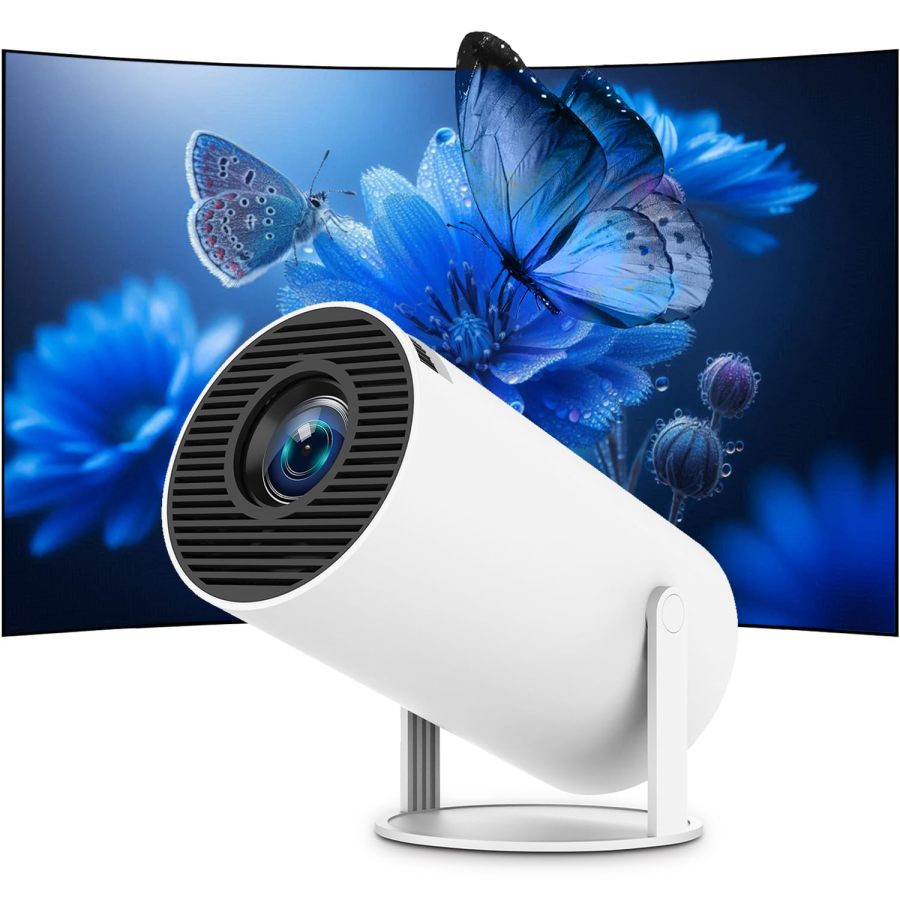
A mini portable projector is a compact, easy-to-carry projection device, typically integrating a smart operating system, wireless connectivity (WiFi and Bluetooth), and auto-correction features. Its core value lies in providing a large-screen viewing, entertainment, or presentation experience anytime, anywhere, serving as an economical complement to traditional TVs and large projectors. Products in this category generally emphasize ease of use, multifunctionality, and value for money to meet users' demand for mobile content consumption. The following table illustrates the key characteristics of consumer behavior in this category.
| Dimension | Segment | Description |
|---|---|---|
| Need Driver Type | Planned Purchase / Impulsive Purchase / Emergency-driven Purchase | User purchases may stem from planned upgrades to home entertainment or from the need to meet temporary viewing, outdoor activity, or emergency presentation needs, with clear expectations for an immediate large-screen experience. |
| Purchase Frequency | Low Frequency / Seasonal | As a durable consumer electronic, the Purchase Frequency is low, typically once every few years. However, demand increases during holiday gift-giving peaks or specific seasons (e.g., outdoor activities in summer). |
| Decision Complexity | Medium | Consumers will compare core elements like picture quality (resolution, brightness), smart system, connectivity, portability, and price, but usually won't conduct professional-level technical deep dives. |
| Price Sensitivity | Medium to High | Price is one of the core decision factors. Users expect the best possible comprehensive experience within a relatively limited budget and are highly sensitive to value for money. |
| Emotional Dependency | Medium | The product not only provides functional video playback but also delivers the joy of family sharing, enhances social atmosphere, and offers a sense of 'freedom to watch anywhere,' possessing certain emotional and experiential value. |
II. User Personas & Usage Scenarios
2.1 Home Entertainment Enthusiast
🎯 Seeks convenient, economical home theater experiences, wanting to enjoy large-screen viewing fun anytime, anywhere.
| Typical Usage Scenarios | Core Pain Points | Primary Purchase Drivers |
|---|---|---|
|
|
|
2.2 Mobile/Outdoor Social Enthusiast
🎯 Enjoys outdoor activities and friend gatherings, wanting to bring movie nights or gaming experiences outdoors.
| Typical Usage Scenarios | Core Pain Points | Primary Purchase Drivers |
|---|---|---|
|
|
|
2.3 Budget-Conscious Student/Young Professional
🎯 Has a limited budget but desires a large-screen experience; may also use it for leisure entertainment or simple study/work presentations.
| Typical Usage Scenarios | Core Pain Points | Primary Purchase Drivers |
|---|---|---|
|
|
|
III. User Needs Hierarchy (KANO Model)
3.1 Basic Needs (Must-Haves)
- Clear Image: At least supports native 720P and can decode 1080P/4K videos well, ensuring no obvious blurring at image edges to meet basic viewing needs.
- Easy Connectivity: Provides universal interfaces like HDMI, USB for plug-and-play with common devices (laptop, USB drive, etc.), reducing setup barriers.
- Portability: Compact size, light weight, easy to pick up with one hand or carry in a backpack, usable anytime, anywhere.
- Built-in Speaker: Provides basic audio output, capable of producing sound without additional devices, meeting minimum auditory needs.
- Heat Dissipation & Noise Reduction: Does not overheat easily during prolonged use; fan noise does not affect the viewing experience, ensuring user comfort.
3.2 Performance Needs (Linear Satisfiers)
- Wireless Connectivity (WiFi & Bluetooth): Supports 2.4G/5G dual-band WiFi for phone casting and Bluetooth for connecting external speakers/headphones, enhancing convenience.
- Auto Keystone Correction: Automatically corrects tilted images without manual adjustment, quickly obtaining a squared image and simplifying setup.
- Good Brightness: Provides acceptable image brightness in non-pitch-black environments, avoiding overly dark images and expanding usage scenarios.
- Built-in Streaming Apps: Pre-installs mainstream video apps (e.g., YouTube, Prime Video, Netflix) for direct viewing without external devices, enhancing smart experience.
- Flexible Angle Adjustment: Supports 180° or 270° rotation, easily projecting onto walls, ceilings, or any surface, increasing usage scenario freedom.
- Image Zoom Function: Adjusts image size without moving the projector, adapting to different spaces for user convenience.
3.3 Excitement Needs (Delighters)
- Official Streaming App Authorization: Obtains official authorization from mainstream streaming platforms like Netflix, completely solving copyright-related casting black screen issues and ensuring smooth experience.
- Auto Focus: Automatically achieves clear focus upon startup or after moving without manual adjustment, further enhancing ease of use and user experience.
- Cinema-Grade Sound: Built-in stereo system supporting Dolby sound or higher quality, providing more immersive auditory experience without external devices.
- Ultra-Low Noise: Extremely low fan operating noise, almost imperceptible, not interfering with the viewing experience, offering ultimate quiet enjoyment.
3.4 Unmet Needs & Opportunities
-
Seamless Streaming Experience Across All Platforms: Users want all mainstream streaming platforms (including Netflix, Hulu, Disney+, etc.) to play directly and smoothly through built-in apps, without needing a TV stick or extra adapter.
User Reviews (VOC) "I bought this to use fewer devices, but I still can't cast Netflix. I have to buy a Fire Stick, which feels a bit redundant." // "Prime Video always goes black screen, it's too troublesome. Might as well just watch on my phone."
-
Improved Visibility in Ambient Light: Maintains good or even clear projection effects in rooms with ambient light (not completely dark), expanding daytime usage scenarios.
User Reviews (VOC) "Even though it's advertised as high brightness, it's basically unwatchable with lights on during the day or with some natural light. Can only use it at night." // "If it could be used during the day, this projector would be perfect. It's still a bit limiting now."
-
High-Performance Built-in Audio: Built-in speakers can provide sufficiently loud and high-quality sound effects without needing to connect an additional Bluetooth speaker.
User Reviews (VOC) "The built-in sound is too quiet, or the sound quality is flat. Can't really watch a movie without connecting a Bluetooth speaker." // "If it had better built-in sound, I wouldn't need to drag out a big speaker every time."
-
Longer Power Cord / Built-in Battery: Some products have overly short power cords, limiting placement options; having a built-in long-lasting battery would greatly enhance outdoor convenience.
User Reviews (VOC) "The power cord is too short, finding an outlet is troublesome, often can't reach, limiting placement." // "When camping outdoors, the battery life is never enough. I wish the built-in battery could last longer."
-
Software System Stability: Solve occasional Android system lag, app crashes, connection failures, and other stability issues to ensure a smooth user experience.
User Reviews (VOC) "The Android system often lags, and apps crash from time to time. The experience is a bit poor." // "WiFi connection is very unstable, sometimes disconnects suddenly, requiring re-setup. Very annoying."
IV. User Decision Drivers
4.1 Key Decision Factors
- Picture Quality: The clarity, color reproduction, and brightness performance in actual use (especially in low light), directly impacting the core viewing experience.
- Ease of Use: Whether setup and installation are simple, the interface is intuitive, and connecting devices is quick and convenient, affecting user onboarding difficulty.
- Portability: Product size and weight, whether truly convenient to carry and use in different scenarios, determining its mobile attribute.
- Value for Money: The comprehensive balance of product features, performance, and price, whether it offers good value, is a key consideration in the final consumer decision.
4.2 Secondary Decision Factors
- Smart Features & Apps: Whether it has a built-in smart OS, can directly play streaming content, and if the app ecosystem is rich and smooth, enhancing entertainment convenience.
- Sound Quality & Noise: The effect of built-in speakers, and whether the fan noise generated during device operation is acceptable, impacting viewing immersion.
- Projection Flexibility: The automation and precision of keystone correction, focus, and rotation angles, facilitating user placement in various environments.
- Connection Stability: The stability and anti-interference capability of WiFi and Bluetooth connections, ensuring smooth wireless transmission without lag.
V. Selling Points & Competitive Landscape
5.1 Selling Point Analysis
5.1.1 Standard Features (Points of Parity)
- Mini Portable: Compact size, lightweight and easy to carry, convenient for moving and outdoor use, emphasizing its 'pocket theater' attribute.
- Supports 1080P/4K: Most products claim to support 1080P Full HD or 4K decoding, promising a clear visual experience to meet user expectations for picture quality.
- WiFi & Bluetooth Connectivity: Supports wireless casting (phone, tablet) and connecting Bluetooth audio devices, enhancing convenience.
- Auto Keystone Correction: Automatically adjusts the image to ensure a squared projection, simplifying setup and improving ease of use.
- Multi-Device Compatibility: Equipped with HDMI, USB, and other interfaces, compatible with TV sticks, laptops, game consoles, etc., broadening usage scenarios.
5.1.2 Key Differentiators
- Built-in Android System & Apps: Some products come with a smart OS, can directly install and run streaming apps, achieving integrated smart entertainment.
- 180°/270° Rotating Stand: Provides greater projection angle flexibility, convenient for projecting onto ceilings, etc., increasing scenario adaptability.
- Higher ANSI Lumens: Some products emphasize higher ANSI lumens to enhance image brightness performance, aiming for an advantage in non-pitch-black environments.
- WiFi 6 / Bluetooth 5.2/5.4: Adopts newer wireless technology standards to provide more stable, faster connection speeds, and lower latency.
- Auto Focus: Automatically adjusts focus upon startup or after moving, no manual operation needed, further enhancing ease of use.
- Quiet Fan: Emphasizes optimized fan noise, providing a quieter viewing environment, enhancing user immersion.
5.1.3 Unique Selling Propositions (USPs)
- Official Netflix Authorization: Very few products obtain official certification from streaming platforms like Netflix, ensuring seamless playback and solving copyright issues.
- Ultra-Thin Design: Products like the VOPLLS Q5 use an extremely slim appearance as a Unique Selling Point, emphasizing portability and design sense.
- Air Mouse / Voice Control: Some product remotes integrate air mouse or voice command functions, enhancing interaction experience and convenience.
5.2 Competitive Landscape
5.2.1 Market Maturity
The mini portable projector market is in a medium-to-high maturity stage, with severe product feature homogenization. Brands generally seek differentiation by integrating smart systems, optimizing connectivity technology, and enhancing portability while improving basic performance (e.g., resolution compatibility, brightness). New product releases are frequent, but genuine technological breakthroughs are rare, with more focus on layering and optimizing existing features. Price competition is fierce, especially in the entry-level product lines.
5.2.2 Innovation Trends
Market Innovation Trends are evident, shifting from pure projection devices towards 'smart audio-visual centers,' focusing more on intelligent and convenient user experiences. WiFi 6, auto focus, AI image optimization, built-in streaming apps, and flexible designs supporting multi-angle projection are the main current innovation directions to meet the 'cinema anywhere' demand. Additionally, continuous improvement of cooling systems and built-in sound quality is a key trend for enhancing user satisfaction. Some brands are beginning to introduce higher-level sound effects (e.g., Dolby certification) and more precise auto-correction systems.
VI. Marketing Claims vs. Reality Check
The table below analyzes the gap between common marketing claims and actual user experiences in this category:
| Dimension | Marketing Claim | User Reality | Verdict |
|---|---|---|---|
| Native Resolution vs. 4K/1080P Support | Supports 4K/1080P Full HD, delivering ultimate clear picture quality. | Most products have a native resolution of only 720P. Even if they can decode 4K, the actual display quality is far from native 1080P or 4K clarity. This is often downplayed in product specifications, creating a gap with headline claims. | A typical numbers game, using the concept of 'support' to substitute for 'native,' misleading consumers' expectations of core picture quality. The actual experience falls short of expectations. |
| Streaming Copyright Compatibility | Built-in Android system, pre-installed mainstream apps like Netflix, Prime Video, achieving integrated smart viewing. | Product descriptions or fine print often note that due to HDCP copyright protection, mainstream apps like Netflix, Hulu cannot be played directly through the built-in system or screen mirroring, requiring an additional TV stick. This contradicts the 'integrated smart' claim. | Function design is disconnected from users' core needs. The built-in smart system fails to solve the most critical issue of playing copyrighted content, forcing users to still need external devices, adding cost and hassle. |
| Brightness Performance & Ambient Light Adaptability | High brightness output, achieving clear projection in daylight or bright environments. | Despite some products claiming high lumens (e.g., 8000 Lux), image clarity and color performance still significantly degrade in rooms with ambient light (not pitch black). User feedback commonly points out 'best effect in dark environments.' Some products have ANSI lumens as low as 200, making them unsuitable for bright environments. | Achieving truly high brightness to combat ambient light is a physical challenge within the constraints of mini size and cost. Exaggerated marketing creates unrealistic expectations, leading to user experience gaps in real scenarios. |
Key Takeaway: The market exhibits widespread parameter inflation and scenario-based experience exaggeration, especially regarding native resolution, brightness, and streaming copyright compatibility.
VII. Supply-Demand Misalignment Analysis
The table below highlights mismatches between seller focus and buyer priorities:
| Dimension | Seller Behavior | User Focus | Verdict |
|---|---|---|---|
| Seamless Playback of Mainstream Streaming Services | Generally emphasize 'built-in Android system,' 'pre-installed apps,' attempting to create a selling point of integrated smart theater, but often downplay or mention in fine print the copyright restriction issue. | Users strongly complain about Netflix, Prime Video, etc., not playing directly, forcing them to buy an extra TV stick, which completely contradicts the expectation of buying a 'smart projector,' feeling 'redundant.' | Typical 'pseudo-smart' marketing. Sellers invested in system development but failed to solve the user's most critical pain point of playing copyrighted content, greatly diminishing the value of smart features. |
| Brightness & Ambient Light Adaptability | Some sellers use vague 'lumen' units or exaggerate numbers, avoid using ANSI lumens, remain silent or gloss over the product's true performance in non-pitch-black environments, emphasizing 'best in dark rooms.' | Users commonly report that the product is unwatchable during the day or in slightly lit rooms, severely limiting usage scenarios, considering 'brightness is a fatal flaw.' | Sellers circumvent the physical brightness limitations of mini projectors, failing to truthfully inform users of the product's applicable scenarios, leading to significant user misunderstanding of the product's core functional performance. |
| Built-in Sound Quality & Fan Noise | Commonly market 'HIFI sound,' 'built-in speaker,' 'low-noise cooling' as selling points to enhance product value. | Users report built-in speakers are too quiet, sound quality is mediocre, unable to provide immersion, and fan noise is still noticeable, affecting the viewing experience, often requiring external speakers. | Marketing promises are not delivered. Achieving 'HIFI sound' and 'ultra-low noise' within limited volume and cost presents a physical paradox. Over-promotion leads to overly high user expectations and a noticeable gap in actual experience. |
Key Takeaway: Sellers overly emphasize surface parameters and integrated features while neglecting users' deep-seated pain points regarding copyright content playback, actual brightness performance, and audio-visual experience, leading to a supply-demand mismatch.
VIII. Strategic Opportunities & Recommendations
8.1 Officially Licensed Streaming Smart System
8.1.1 Target Audience & Pain Points
⚡️ Pain Points Addressed: Seamless streaming experience across all platforms.
8.1.2 Action Plan
Invest resources to obtain official licenses from mainstream streaming platforms like Netflix, Disney+, Hulu. Build an optimized system ensuring stable, smooth playback. Simultaneously, upgrade CPU and RAM for faster boot and app response.
| Tech Complexity | Medium |
| Cost Impact | High Impact |
| Trade-off Warning | Requires a more powerful processing chip and larger storage, may slightly increase power consumption and cost but won't cause significant volume increase. |
| Price Band | Only viable above $100.00 |
8.1.3 Marketing Strategy
Emphasize 'Official License, Say Goodbye to Black Screens & Lag'; use comparison videos to showcase seamless streaming experience; highlight 'One Projector is Your Audio-Visual Hub, No Extra TV Stick Needed.'
8.2 High-Performance Quiet Built-in Audio System
8.2.1 Target Audience & Pain Points
⚡️ Pain Points Addressed: High-performance built-in audio, lower fan noise.
8.2.2 Action Plan
Redesign acoustic structure, integrate higher-power speakers supporting DSP sound effects; adopt hydraulic bearing quiet fans or optimize airflow design to control noise below 20dB, providing industry-leading quiet performance.
| Tech Complexity | Medium |
| Cost Impact | Medium Impact |
| Trade-off Warning | Optimizing acoustic cavities may slightly increase product volume or weight but will significantly improve sound. Advanced cooling tech can reduce noise but increases cost. |
| Price Band | Only viable above $60.00 |
8.2.3 Marketing Strategy
Highlight 'Cinema-Grade Sound Without External Speakers,' 'Library-Level Quiet Experience'; use comparative data and user testimonials to emphasize significant improvement in audio-visual experience.
8.3 Improved Visibility in Ambient Light
8.3.1 Target Audience & Pain Points
⚡️ Pain Points Addressed: Improved visibility in ambient light.
8.3.2 Action Plan
Explore higher-efficiency LED modules or micro laser light source technology, optimize optical path, increase ANSI lumens to 500+, while enhancing contrast performance in ambient light.
| Tech Complexity | High |
| Cost Impact | High Impact |
| Trade-off Warning | Using higher-power light sources and larger cooling modules will significantly increase product volume, weight, and cost, potentially losing the 'mini portable' advantage. |
| Price Band | Only viable above $150.00 |
8.3.3 Marketing Strategy
Clearly state 'Excellent Performance in Non-Pitch-Black Environments'; use real scenario comparison images/videos to emphasize usability in non-pitch-black environments like living rooms, offices, avoiding over-promising.
8.4 Long-Lasting Built-in Battery & Power Cord Optimization
8.4.1 Target Audience & Pain Points
⚡️ Pain Points Addressed: Longer power cord / built-in battery.
8.4.2 Action Plan
Standardize with a 2-3 meter power cord. Launch a version with a built-in high-capacity battery (e.g., 5000mAh+), providing at least 2-3 hours of independent runtime, ensuring batteries meet UL, CE safety standards.
| Tech Complexity | Low to Medium |
| Cost Impact | Medium Impact |
| Trade-off Warning | Adding a built-in battery will slightly increase product weight and volume (approx. 50-100g) but can greatly enhance usage flexibility, requiring design trade-offs. |
| Price Band | Only viable above $60.00 |
8.4.3 Marketing Strategy
Highlight 'Free from Outlet Constraints, Bring Movies to Any Corner,' emphasize 'Worry-Free Outdoor Camping,' 'Up to XX Hours on Battery Mode,' reinforcing the product's true portability.